Category: Guide

  • Best Gaming PC Hardware in 2025 (so far)

    Best Gaming PC Hardware in 2025 (so far)

    With 2024 almost at a close, and after both AMD’s 9000 series & Intel’s Ultra 200 series CPU releases, we now have relatively high confidence that there will be no more hardware launches until 2025, we thought it is a good time to share what the best hardware selections are for a gaming PC.

    We have taken the time to write what is intended to be an ever-updated guide to what to keep in mind, and what is best for gaming performance.

    You are here because you like gaming, right? Check it out!
    Best Gaming PC Hardware in 2025

  • Liquid Cooling vs Air Cooling

    Liquid Cooling vs Air Cooling

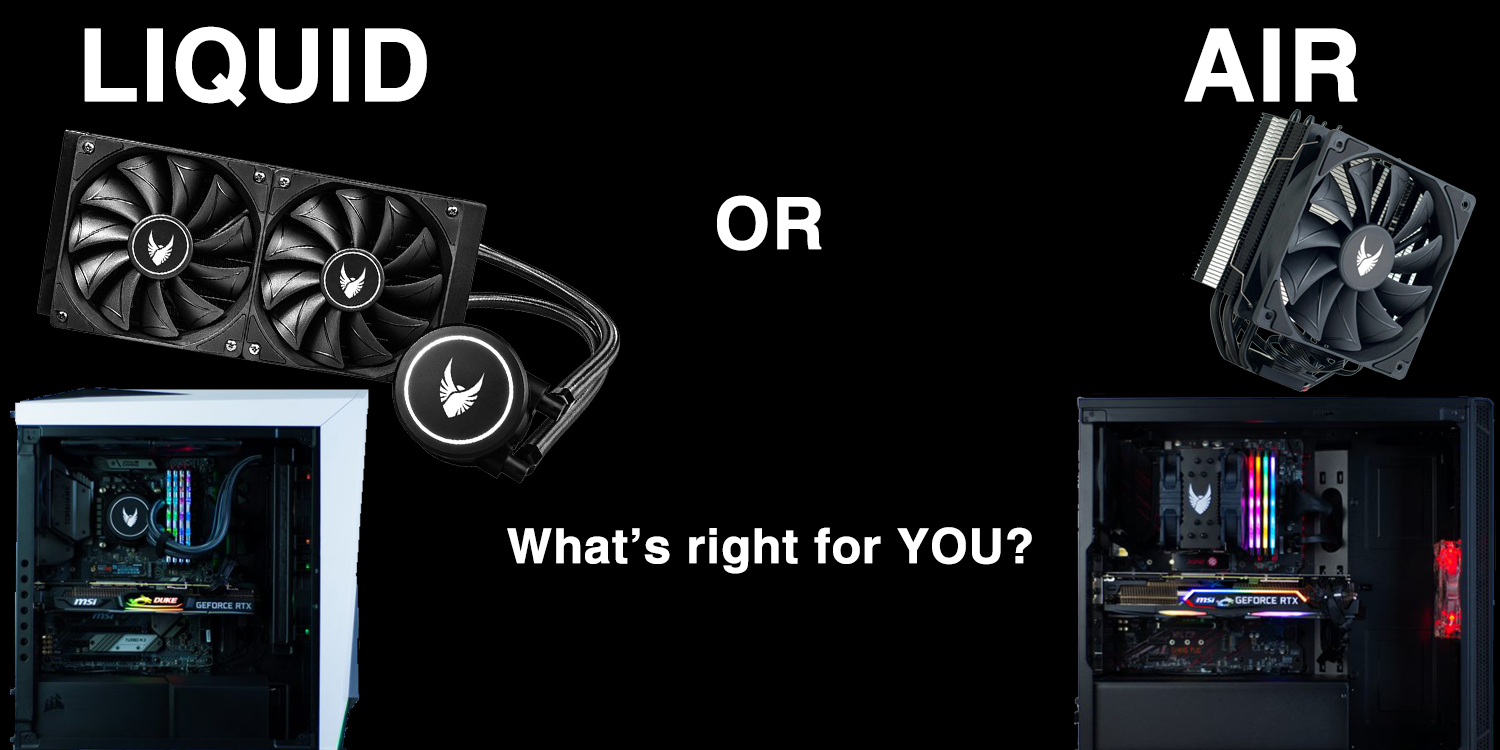
    Serious about your computer’s performance while keeping it as cool as possible? The advice has usually been to opt for liquid cooling, opposed to the often standard and alternative of air cooling. Generally speaking, this advice makes sense, liquid cooling your CPU or GPU yields better results.*

    * There are exceptions, such as when comparing an entry level liquid cooler to a high end air cooler.

    What’s so special about liquid?

    The liquid inside liquid coolers Evatech use a mixture of water and ethylene glycol. The reason for a solution rather than pure water is to prevent freezing, inhibit bacterial growth, and prevent galvanic corrosion. They start life as non-conductive liquids.

    Every substance has an intrinsic property called heat capacity. Simply put, this is how much thermal energy it can absorb before it changes temperature. Liquid has a higher heat capacity than most other common substances.

    Example: A swimming pool that’s been taking the summer’s sun all day, yet you jump in late afternoon and it’s refreshingly cool.

    This is due to hydrogen bonding at the molecular level. The oxygen atom in a water molecule is quite electronegative. This means it attracts electrons which gives it more of a negative charge than the two attached hydrogen atoms. The more positively charged hydrogen atoms of the surrounding water molecules will stick to the oxygen atoms and prevent the molecules from moving around too much when heat is applied. Since higher temperatures are a result of more molecular motion, all of this means that water can resist temperature changes better than the metals that are commonly used in air coolers.

    Back to what this means for your PC…

    Using a liquid cooler for your CPU or GPU means that you will be transferring out heat into a substance that can hold much more heat than an aluminum heatsink with fans attached to it. But, this isn’t the whole story. There’s a practical limit to heatsinks you can attach to a chip before it becomes too large & too heavy. So water coolers resort to large radiators to dissipate the heat absorbed by the liquid further improving overall cooling capacity. This takes the warm liquid away from the chip you’re cooling, where it can cool down.

    Other advantages of liquid cooling

    • Liquid cools more efficiently than a metal heatsink alone, making it possible for liquid coolers to be quieter
    • Compared to large air coolers, liquid coolers save on space, don’t put stress on the motherboard, and will allow you to easily install additional RAM
    • Generally considered more aesthetically pleasing for a clean build
    • You can say “my PC has liquid cooling”

    Air coolers still have their place

    Although it’s extremely unlikely that the high-quality liquid coolers in Evatech PCs would ever leak, it’s a possibility. Despite the liquid used being non-conductive, over time these substances may pick up ions from the metals inside the cooler and become conductive over time. This liquid leaking onto components, such as the graphics card? Bad news!
    Even if the liquid cooler never leaks, chances of the water pump failing over time is almost guaranteed. Pump failure typically happens after 5+ years of use (unless you’re the type to leave your system on 24/7 – not recommended/necessary).

    Spending the premium to get liquid cooling in your PC may not be advantageous if your components are not high-end enough to warrant it. Similarly, if you aren’t likely to push your PC for sustained periods of time. Most games are GPU reliant more than CPU – meaning great cooling on your CPU can be rendered almost pointless as gaming performance will typically bottleneck as the GPU reaches high temperatures. Your crispy cool CPU can’t do much for your gaming performance once that happens.

    Higher end air coolers can be quieter than liquid coolers as air coolers don’t have pumps. Gone are the days where desktop PCs sound like jet planes taking off when not doing anything. Many fans in systems these days don’t spin at all unless the components reach a particular temperature, and will speed up as necessary. This should prolong the life of the fan, as well as keep noise levels down.

    Many of our customers may do just fine with the standard CPU cooler that comes in the CPU box. Those wanting to be extra safe can opt for one of our 120mm tower air cooler options. Leaving those chasing a “no excuses” setup to go for liquid.

    The moral of the story…

    Well, if this wasn’t a long-winded (hah) way of saying that either option is fine, then I don’t know what is.

    Stock CPU coolers are perfectly fine for low end systems (i5/R5 and below), or i7/R7 if it’s mainly home/office use.

    120mm tower air coolers are good for everyone. Can be a great way of ensuring the system lasts a long time.

    Liquid coolers are best suited to enthusiasts, or those likely to upgrade the system after 5 years (or less). But they’re high performers for everyone! Liquid cooling is a great way to keep your CPU as cool as the environment allows.

    If you have the option, and indeed the budget: get yourself a liquid cooled graphics card. Liquid cooled graphics cards typically only come in at the higher end of the performance spectrum. Customers going for a high-end GPU are usually looking to replace it with another high-end GPU after 3-5 years anyway. This makes the limited lifespan of a liquid cooler less of an important consideration.

    Don’t forget, if you’re in doubt, you can always chat to our friendly and helpful staff.

    Find us on Facebook for a chat, use our Contact page, or if it’s during business hours you can always come into our store and/or give us a call.

    Sourced information from: https://www.youtube.com/watch?v=Tay4Pz-PQDc

  • Customising a Gaming PC for Apex Legends

    Customising a Gaming PC for Apex Legends

    Apex Legends is smashing records right now as the most popular PC game. With it’s player count topping 25 million within the first week, it beat out DayZ, PUBG and even Fortnite to claim the thrown as the most successful PC game launch of all time.

    So what does it take to jump and start playing? We’ll we’re going to run down the hardware specs you need to get the most of Apex Legends and similar online shooters so you’ll be ready for today, and what ever comes around the corner tomorrow.

    Getting started.

    To follow along and customise a gaming PC as we guide you through the process you can head on over to store page (linked here). Don’t be alarmed by the number of options. It’s all very easy, we have built in error detection and instructions so there is no need to worry.

    Defining your target performance level.

    Whether or not you want to target a very high frame rate, play at 4K or crank all the settings up to max will greatly impact your hardware selection. With this in mind the below hardware recommendations will define 3 separate levels. We’ll cover an explanation regarding the listed GPU, CPU and RAM a little further below.

    • Budget
      • The entry level hardware selection to get a good competitive experience at 1080P / medium presets.
        • GPU : GTX 1050 TI OC
        • CPU : Intel i3 8100
        • RAM : 8GB
    • Recommended
      • A step up, allowing for higher frame rates at 1080P on high presets to give you at that little extra edge and visual fidelity.
        • GPU : GTX1160
        • CPU : Intel i5 9400F
        • RAM : 16GB
    • Ultra / 4K
      • Crank up all the settings to max and leave noting on the table with silky smooth frame rates at 4K.
        • GPU : RTX 2080 OC
        • CPU : Intel i5 9600K
        • RAM : 16GB OC

    The basics of hardware selection.

    If you’ve read one of our custom PC game guides before you probably already know this. However for the sake of first time readers we’ll cover the basics again.

    When it comes to game performance, the 3 components that matter are the CPU, GPU and RAM. No other components have a direct impact to in game performance. Your storage device might increase load times and your cooler and fans might help prevent thermal throttling but that’s about it.

    Now of these three components, the GPU (also know as a video or graphics cards) is by far the most important. There are a few exceptions in which the CPU will be more important but in 99% of games this just isn’t the case. As long as the CPU and RAM don’t become a bottleneck, the GPU is the single most important component of the system.

    Once you understand this basic concept, the rest becomes easy. Just select the GPU required to fit your performance target and pair it with the appropriate CPU and RAM combo. Once we know what these three components will be, we can choose an appropriate motherboard and power supply to match. Finally, all that’s left to do is select the rest of the configuration with your own personal preferences and requirements.

    Choosing the right motherboard & power supply.

    The Motherboard

    A motherboard, as the name suggests, is the main board in to which all other components are attached. They house the integrated audio and network solutions as well as USB ports and various other ports to connect peripherals and storage devices. Higher end boards (eg Z390) are more geared towards enthusiasts looking for premium end integrated audio and networking adaptors and the ability to overclock the CPU or run multiple GPUs. The mid-range boards (eg B360) are great all rounders and best value for money option in most cases. The lower end boards (eg H310) are more of a basic, no-frills solutions designed for budget systems where every dollar counts.

    In general we advise against CPU overclocking. The logic behind this is simple. The amount of performance you stand to gain is outweighed by the required additional investment required. This additional investment being a higher end motherboard and cooling solution to make it happen. Not to mention the added possible instability, heat, power consumption and shortened component life span if it’s not done carefully.

    The PSU (Power Supply)

    As for the power supply, we offer both Bronze and Gold rated options. These ratings indicate their AC to DC power conversion efficiency with Bronze being 85% under 80% load and Gold being 92%. Increased efficiency means less heat output and lower power bills! The other thing to consider when selecting a power supply is the wattage. How much do you need exactly? Well if you are using our custom PC builder (linked here) it’s smart enough to tell you. Simply select all the other hardware first then navigate to the power supply selection area. At the top of the list will be a short instructional message. This will tell you how much wattage your system will draw and recommend a suitable buffer.

    In Summary / TLDR;

    Still have questions?

    Need recommendations for a chassis or storage device? Not too sure which cooler or you should go with or simply want an expert to go over your build and make some suggestions? No worries! You can reach out to us via the Contact Us page on our website and we will get back to you ASAP.

    Customise and Order Online Today

    Head on over to our store page at www.evatech.com.au to customise your next dream gaming PC for Apex Legends or any other game! It’s quick, easy, powerful, Australian built and delivered fast nation wide. Not to mention outstanding value.

    Not convinced? Checkout how we stack up against the competition,

  • Building a Custom Gaming PC for 4K Gaming in 2019

    Building a Custom Gaming PC for 4K Gaming in 2019

    With 4K monitors becoming more and more affordable, 4K gaming is spreading through the ranks of high end PC gaming fast, but what does it really take to push that many pixels? We take a look at a few of the most demanding PC games out right now to find out.

    Pre-ample : We’ll be focusing on the graphics card. Why? Well it’s almost always the choke point in gaming performance when you reach 4K. This is of course assuming the CPU and RAM are not bottle-necking it. For the results discussed below we would recommend 16GB of RAM and paring an RTX2070 with a i5 8600K or higher, the RTX2080 with a i5 9600K or higher and RTX2080 TI and any modern i7.

    The RTX2070

    The 4K Entry Level GPU

    4K is a LOT of pixels on the screen and rendering them takes a toll on the GPU. Even Nvidia’s latest generation RTX line up can struggle at times depending on the game and in game settings. Thankfully PC games comes with a lot of in-game graphics settings that all can be adjusted independently. This means with a bit of time tinkering with these options you can often find a sweet spot where performance reaches your target and the game still looks great.

    With the RTX 2070, 16GB or RAM and a mid-range i5 you can expect 4K to playable at 60FPS or more in games like Far-Cry 5, Assassins Creed Origins, Shadow of the Tomb Raider, GTA V, PUBG, Destiny 2 and Battlefield V, but don’t expect it at ultra. That being said, making the comprises to in game graphics settings in the right way and the visuals will still look great. Take the time to mess around in the settings and give the game a try each time you make an adjustment. It may take a while it’s definitely worth your while.

    What can the RTX2070 play at 4K / Ultra settings? Well there’s quite a lot actually.

    • Overwatch
    • Doom
    • F1 2018
    • Fortnite
    • Counter Strike Global Offensive : (CS:GO)
    • Hitman
    • Sniper Elite 4
    • Forza 7
    • Wolfenstien : The New Colossus.

    Note to mention the still very popular but older or less demanding games like World of Warcarft, Leage of Legends, Starcraft and DOTA 2.

    The RTX2080

    4K with less compromise.

    Paired with 16GB or RAM and a high end i5 CPU you can expect somewhere in the realm of a 10-25% boost in performance (depending on the game in question) over the RTX2070. This is enough to push those games that might have been playable at medium settings / 4K on the RTX2070 up to the high presets with approximately the same frame rates.

    What can the RTX2080 play at 4K / Ultra settings? Well in addition to the RTX2070 list above, you can add;

    • Strange Brigade
    • The Division
    • Call of Duty : WWII
    • Star Wars : Battlefront 2
    • Prey
    • Just Cause 3
    • Battlefield 1
    • GTA V

    The RTX2080 TI

    The single most powerful gaming GPU on the market today.

    Paired with 16GB or RAM and a modern i7 CPU the RTX2080TI delivers frame rates in the range of . This is enough to push those games that might have been playable at medium settings / 4K on the RTX2070 up to the high presets with approximately the same frame rates.

    What can the RTX2080 TI play at 4K / Ultra settings? Well in addition to the RTX2080 list above, you can add;

    • For Honor
    • Middle Earth : Shadow of War
    • Assassins Creed Origins
    • The Crew 2
    • Shadow of the Tomb Raider (RTX OFF)
    • Battlefield 1
    • Battlefield V (RTX OFF)
    • Ashes of the Singularity
    • PlayerUnknown’s Battlegrounds (PUBG)
    • Far Cry 5

    4K Gaming with RTX / DLSS

    With the additional GPU overhead that RTX or real time ray tracing places on the GPU, it’s little wonder that even the RTX2080 TI struggles to put up respectable frame rates at 4K in the few games that support RTX when it’s enabled. However with it still being a very new technology, the game developers with the help of Nvidia are constantly making improvements.

    DLSS or deep learning super-sampling is an ingenious technology designed to use artificial intelligence to scale lower resolution rendering up to higher ones with minimal loss of detail and big gains in performance. Once we start to see a few more performance patches, updated drivers and games start to launch with DLSS and RTX both built in, it may be a very different story.

    Battlefield V will be the first to market with this DLSS and RTX combination with RTX being implemented already but DLSS on the way in an upcoming patch. Nvidia boasts enabling DLSS with RTX turned on will result in very similar performance to having RTX off all together which, if true, is fantastic news for 4K gamers.

    Customizing a Gaming PC for 4K Gaming

    Well now you have everything you need to know, you can jump right in to our custom gaming PC builder (linked here) and get started. Just bare in mind the recommended CPU and RAM pairings with each GPU, don’t forget to set aside some of your budget for the 4K monitor. As for the other components, our custom PC builder page is pretty good at guiding you through the options so you don’t need to worry too much. A lot of the options are mostly based on personal preferences and come down to aesthetic choice, or how much storage capacity you think you’ll need. If you have any questions before you place your order feel free to shoot us an email at any time and we’ll get back to you ASAP.

    Choosing the Right 4K Gaming Ready Monitor

    As you would probably expect, 4K monitors are not exactly ‘cheap’. Acer, Asus, Samsung and Philips all have 4K monitors at various different physical formats from 27″ to 40″ and they start from around the $900 mark. You can checkout our monitor range by (clicking here) or visiting our online store at www.evatech.com.au

    Monitors are something that are frequently updated with new models, so if you’re reading this a few months or more after this article was originally posted, pricing and availability may have changed. That being said, the industry trend is heading towards more options at better pricing so unless something terrible has happened, the options will only be better.

  • Customizing A Gaming PC for Battlefield V & RTX

    Customizing A Gaming PC for Battlefield V & RTX

    With Battlefield V’s Tides of War Chapter 2 update being released next week and the RTX2060 to follow soon after we’re decided it would be a great time to jump in and review what sort of gaming PC it requires to play Battlefield V with RTX on (Ray Tracing) at 1080P / 1440P and 4K.

    We’ll be doing this with a focus on the RAM, CPU and most importantly the video card (GPU) as these are key components that contribute to performance. All other components do not directly contribute to in game performance so you can pick and choose your favorites based on personal preferences, aesthetics and functionality requirements.

    New RTX Tech (DLSS)

    When Battlefield first got it’s original RTX enabling update it only enabled real time ray tracing which arguably is one of the most impressive features of the latest generation of RTX series graphics cards. However it did not initially get DLSS, aka Deep Learning Super Sampling. For those unfamiliar with the concept, this technology is essentially a ‘smarter’ way of handling AA (anti-aliasing), the togglable option in most modern PC games that essentially smooths out rough edges.

    At Nvidia’s latest press conference at the 2019 CES show in Las Vegas, they showed off performance charts that indicated enabling DLSS would not only make the game look that much better, but actually boost your in game performance when ray tracing is enabled. Now this isn’t something that’s been guaranteed to be included in the big upcoming patch but Nvidia and Dice have promised to deliver it ‘soon’.

    A Closer Look at the RTX 2060

    Nvidia’s newest GPU to hit the market in the wake of the RTX 2080, then 2080 TI and 2070. As the name suggests the price and performance of this card is expected to land a touch below the RTX 2070 offering the latest RTX enabled tech like ray tracing and DLSS at a new lower price point. These cards are set for release on January 15th however initial price and availability is still TBD. For more details on the upcoming RTX 2060 reach out to us or stay tuned to our website.

    The Specifications

    • 6GB of GDDR6 14Gbps Memory
    • 240 Tensor Cores
    • 37 RTX Ops
    • 1680MHz Boost Clock (-/+ depending on model)
    • 160w TDP

    Now you can compare these against the RTX 2070 to get an idea of the overall performance.

    • 8GB of GDDR6 14Gbps Memory
    • 288 Tensor Cores
    • 42 RTX Ops
    • 1620MHz (-/+ depending on model)
    • 175w TDP

    You can checkout the full summary of the CES press conference on the Nvidia website here for a recap, videos and presentation slides.

    Customize as you Go!

    If you want to play along at home and while you read this article also begin customizing your next dream custom gaming PC for Battlefield V on our website simply head on over to our store page (by clicking the link here). It’s quick, easy and with a click of a button you can upgrade, downgrade, remove or add a massive range of the latest PC hardware to your build, then with a click of a button save it for later or order it online!

    What you need to play at 1080P with RTX & DLSS ON

    Based on the independent third party performance testing of Battlefield V coupled with Nvidia’s CES press conference data, we would recommend the following specification. Of course this doesn’t take in to account various other in game settings that can effect performance but we would base this on the high graphics pre-sets with the possibility of some minor tweaks.

    • Intel i5 8400 or Equivalent
    • 16GB of DDR4 RAM
    • RTX2060 6G Video Card

    Recommended pairing with the other non-performance delivering components for the best balance ‘bang-for-buck’ value.

    • B360M Gaming Edition Motherboard
    • 250G/500G SATA SSD Primary Drive
    • A mid range Mid-Tower chassis with decent airflow A mid range Mid-Tower chassis with decent airflow
      • eg, Corsair Carbide Spec series, Carbide 270R, Fractal Design Focus G or Meshify C
    • 550W Gold PSU
    • Windows 10 Home Edition
    • WiFi & additional hard drives if needed.

    What you need to play at 1440P with RTX & DLSS ON

    Scaling up from our 1080P recommendation would push the video card and CPU up a notch but keep the RAM at 16GB. RAM is something that doesn’t necessarily add anything in terms of performance simply by having more of it than you need nor is more necessarily required when you increase your resolution, frame rate or graphics settings. As a result, with 16GB being the sweet spot for value for any performance in PC gaming right now, it will be the same across all our recommendations.

    • Intel i5 8600 or Equivalent
    • 16GB of DDR4 RAM
    • RTX2070 8G Video Card

    Again, here’s a recommended set of accompanying components to fill out the rest of your build for the best ‘bang-for-buck’ value and performance when pairing with the CPU, GPU and RAM listed above.

    • B360M Gaming Edition Motherboard
    • 250G/500G SATA SSD or NVMe M.2 Primary Drive
    • A mid range Mid-Tower chassis with decent air flo
      • eg, Corsair Carbide Spec series, Carbide 270R, Fractal Design Focus G or Meshify C
    • 550W Gold PSU
    • Windows 10 Home Edition
    • WiFi & additional hard drives if needed.

    What you need to play at 4K with RTX & DLSS ON

    4K is a very very high resolution for gaming. To play at 4K you are essentially asking your video card to render 4x as much in terms of pixels on the screen when compared to a regular 1080P display. Does this mean you need 4x the amount of GPU horsepower to achieve it? Not quiet, but don’t expect to get there on a budget. This is why the RTX2080 TI exists with it’s enormous amount of GPU compute power, and the price tag to match. This is an extreme GPU for an extreme level of fidelity in game. You will also need a 4K monitor which don’t come cheap, and even, you may need to scale back some of the other in game settings slightly to keep the dips above 60+ FPS.

    • Intel i7 9700 or Equivalent
    • 16GB of DDR4 RAM
    • RTX2080TI 11G Video Card

    Last but not least, here is the hardware we would recommend pairing with this CPU, GPU and RAM. Of course this is just a guide and you can by all means make any adjustments or choose any other hardware you wish. Our custom PC builder has built in error detection so you don’t need to worry about compatibility issues. If you wanted to get our option and some recommendations on your configuration after you’ve saved in on our website just shoot us an email with the PCID number!

    • Z390 Gaming Edition Motherboard
    • 120mm Tower Air CPU or Liquid Cooler
    • 250G/500G NVMe M.2 Primary Drive
    • A mid to high end Mid-Tower chassis with good air flow
      • eg, NZXT H500 or H700, Corsair Spec Omega or Carbide Air 540 and the Fractal Design Focus G or Meshify C
        • Avoid low airflow chassis like the MSI MAG or InWin 805C and 303
    • 750W Gold PSU
    • Windows 10 Home Edition
    • WiFi & additional hard drives if needed.

    Limited Time Bonus : Get Battlefield V Free

    Nvidia is also offering both Battlefield V or Anthem free with any purchase of an RTX series card from selector vendors. This offer is also included when purchasing an RTX powered custom gaming PC from our store at www.evatech.com.au. This offer is valid for a limited time only, see our site for details.