Author: Thomas

  • CES 2022 – PC related review

    CES 2022 – PC related review

    CES Conference, January 5-7, 2022 – Las Vegas USA.

    Earlier this week Las Vegas hosted the CES 2022 conference, showcasing the next gen of technology releases and more specifically for us gamers – AMD, Nvidia and Intel’s CPU and GPU tech. Despite COVID’s best attempts at disruption, the conference went ahead (albeit with less physical attendees and more virtual presentations) without too much of a hitch.

    After watching, we know we’re excited about what’s to come in 2022 so let’s jump in and catch you up on what’s in store for PC users.

    AMD presentation

    AMD started things off with a bang, unveiling a host of new products from Ryzen and Radeon. Their Ryzen 3D chip, known as Ryzen 7 5800X3D with upto 8 Zen 3 cores and 96MB of L3 cache, coming to AM4 desktops before mid-year 2022.

    The above infographic provided by AMD appears to promise some beefy performance upgrades.

    The biggest CPU update will be arriving in the second half of 2022 in the form of Z4. The AMD Ryzen 7000 series was made official for the AM5 socket platform with PCIe Gen5 and DDR5 support (it’s a coming!). The prototype was shown off running at 5Ghz across all cores and running Halo Infinite and looked incredibly smooth.

    We were also spoiled with a bunch of updates from Radeon, mainly in the form of the rx6500XT and rx6400 which will serve as ‘entry level’ GPU on the desktop side of things and seems to have drawn up a decent amount of excitement and anticipation from fans and enthusiasts alike.

    The Radeon RX6500XT, like others in the RX6000 Series features RDNA 2 graphical architecture, and the lower end GPU model aims to run the latest titles at 1080p on the highest settings.

    Did you miss it? head over to https://www.amd.com/en/events/ces to watch the entire AMD presentation now!

    Nvidia presentation

    Not to be outdone, Nvidia also announced an ‘entry level’ line via the GeForce RTX 3050 which promises to help PC’s run the latest games, launching in (hopefully) late January 2022. Nvidia claims this new GPU will deliver a leap in performance over the GTX1650 and will support DLSS and ray hardware-accelerated ray tracing.

    Nvidia also went on to announce it’s most powerful consumer desktop chip to date, the GeForce RTX 3090Ti. Although not too many details were offered outside of ‘besting’ the earlier 3090 release, it was referred to as ‘A monster GPU’ and ‘next B-F-GPU’ and has excited for more details to be released later this month.

    Although details were sparse, we do know this model will feature 24GB of DDR6X VRAM and 40 teraflops of GPU performance, making it roughly 11% faster than the non-Ti variant.

    Nvidia has promised to share further details for this monster over the coming months.

    Nvidia has promised to share further details for this monster over the coming months.

    For the gamers, Nvidia also announced a range of new DLSS and RTX games, including Rainbow Six Extraction, Escape from Tarkov + more. Exciting times!

    Did you miss it? head over to https://www.nvidia.com/en-us/geforce/news/nvidia-geforce-rtx-ces-2022-announcements/ to watch the entire Nvidia presentation now!

    Intel presentation

    Intel are planning to take on AMD and Nvidia in the GPUI market this year, with it’s Arc series GPU’s (named Alchemist) slated to release sometime in Q1, 2022. We didn’t get any firm specs or imagery either however they did provide updates on Xe Super Sampling Tech (XeSS).

    In case you missed it in August last year, XeSS is Intel’s response to Nvidia’s DLSS and AMD’s FSR; each with the goal of providing an extra boost in either performance or resolution without your PC requiring additional “horsepower”.

    Intel also unleashed it’s Non K 12th gen CPU for desktop, with more mainstream 600 series chipset that can boost upto 5.5GHz and 5.2GHz with all core enabled. Oof!

    We were also updated that the ARC Alchemist GPU family which will be coming along some time in early 2022 and offers similar power to high-end AMD and Nvidia GPUs.

    Intels’s GPU X

    Did you miss it? head over to https://www.intel.com/content/www/us/en/events/intel-ces.html to watch the entire Nvidia presentation now!

    Other Highlights;

    LG DualUp Monitor

    The LG Dual Up Monitor

    You’re right, it’s kind of an odd looking monitor that almost takes us back in time to yesteryears square monitors. The main selling point of this release is that the DualUp is essentially like two 21.5 inch monitors on top of each other, giving you a 16:18 aspect ratio.

    It also comes with a Nano IPS display and 2560 c 2880 resolution and should be of high interest to creative professionals and those working from home on the regular.

    TCL Nxtwear Air

    TCL Nxtwear Air Glasses

    Not really sure what category you would place this one under but it looks pretty darn cool and gives us a possible glimpse inter the potential future of portable monitors. In case you haven’t seen already, these are basically sunglasses but connect to a PC or mobile phone to give a private viewing experience.

    Unfortunately no, these are not VR compatible and are mainly for home entertainment and viewing purposes but they do come with two small OLED screens encased within the glasses so that you could connect to your PC or Android phone and feel like you were watching on the big screen in private.

    Disclaimer; Probably not the best idea to consider these as replacements for your actual sunglasses as they likely don’t have any UV protection at all. (think radioactive man – THE GOGGLES DO NOTHING)

    AnkerWork B600 Video Bar

    AnkerWork B600 Video Bar

    One of the more practical sound accessories to come out of CES 2022, an all in one webcam for PC’s that features built-in speakers, a mic array, and an LED light bar (that aims to solve the woes of remote Zoom calls – let’s be honest, a lot of us have had to make do with existing webcams on our laptops or PC’s in recent years and we can now confirm, they’re generally not amazing by any stretch).

    This bad boy comes with a 2k sensor capable of reaching 30fps, autofocus and AI-powered zoom – so everyone will now be able to see you clearly while you reluctantly have your video playing in meetings and lectures. Yay. In all seriousness though, this will offer great upgrades for those who are regularly relying on crisp video via webcam.

    So all in all, 2022 is shaping up to be something to look forward to for all PC users out there. Even though this article does not cover it, don’t forget there were plenty of laptop and mobile tech updates as well so make sure to check them out too.

    Here’s hoping to fewer component shortages, less shipping delays and more top quality gaming and productivity for all of us entering 2022 and beyond!

  • Valkyrie X Gaming PC in MSI MPG Velox 100P

    Valkyrie X Gaming PC in MSI MPG Velox 100P

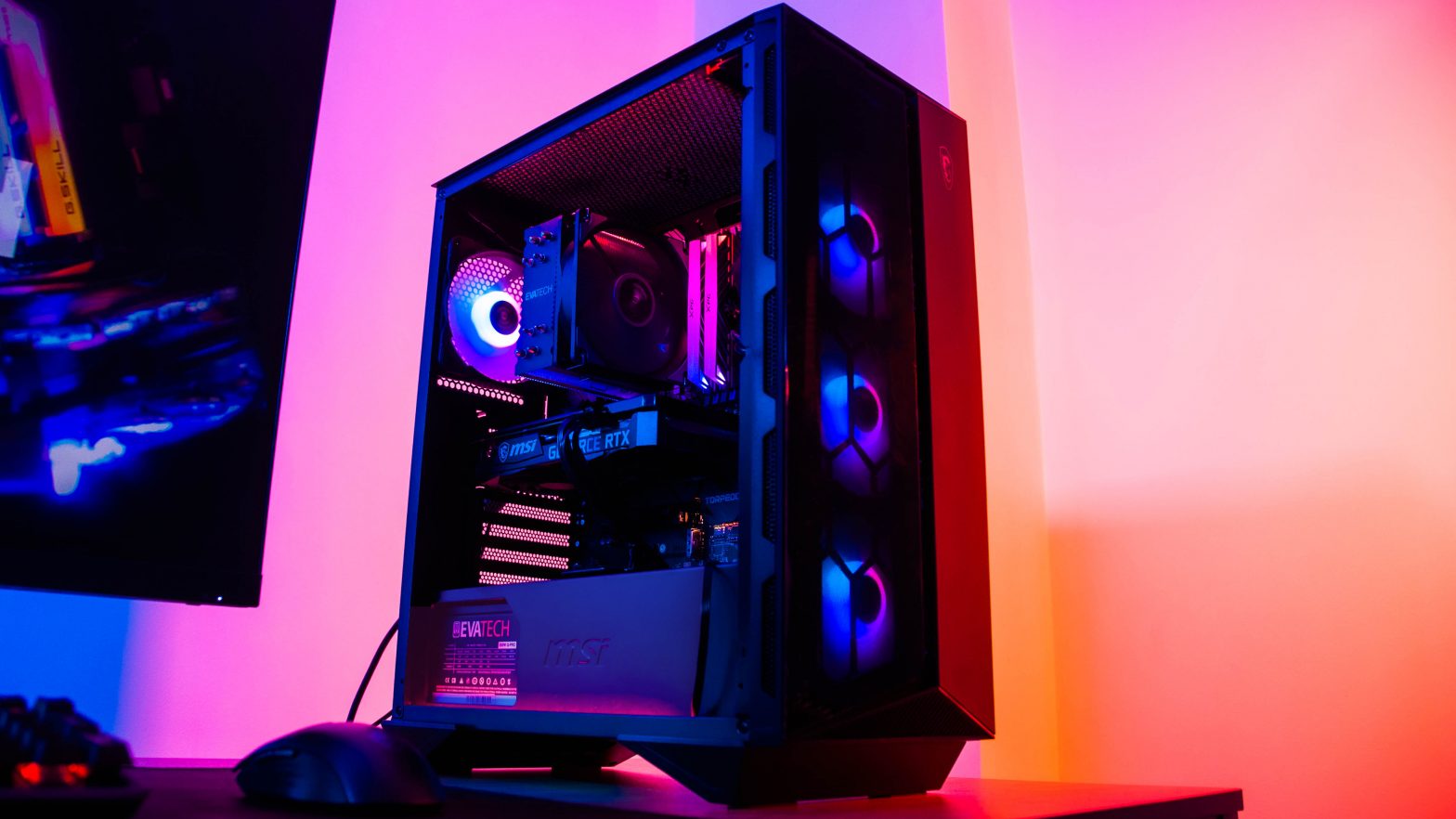
    Another Valkyrie X inside the MSI MPG Velox 100P! The photographer decided to give us break from rainbow RGB this time around, although it still looks as lively with static colours (and you know it’s controllable if you need something a little more vibrant)!

  • Valkyrie X Gaming PC in MSI MPG Velox 100P

    Valkyrie X Gaming PC in MSI MPG Velox 100P

    The MSI MPG Velox 100P, boasting a serious amount of controllable RGB!

    This rainbow beast is powered by an i7 12700KF and also features an RTX 3080 Neptune, 16GB of RAM (RGB, of course) and a quality MAG 240mm liquid cooler from MSI.

    Not only does this build have all of the lighting you could ever need, it’s generously spacious and provides your components excellent cooling all around.

  • Wraith Gaming PC in Corsair 5000D Airflow Black

    Wraith Gaming PC in Corsair 5000D Airflow Black

    The stunning and minimalistic Corsair 5000D, giving us all of the space for cable management to keep things looking clean and simple. Housing an impressive RTX 3080 Ti Suprim along RGB RAM, Noctua 140mm CPU cooler on an AMD 5950X (this customer didn’t want liquid cooling – so a great air cooler was needed!) to keep things nice and chill – and of course with additional RGB strips that really brightens things up.

  • Warsaw Workstation PC in Corsair Carbide 275R Airflow

    Warsaw Workstation PC in Corsair Carbide 275R Airflow

    Corsairs simplistic, yet stylish, 275R case looks very elegant storing a AMD Threadripper 3970X (32 core, 64 thread CPU), GTX 1660, 64GB of RAM and Corsair’s H100i liquid cooling for the beastly CPU.

  • Valkyrie X Gaming PC in Fractal Design Torrent Black

    Valkyrie X Gaming PC in Fractal Design Torrent Black

    Check out this customers brand new PC, inside the Fractal Design Torrent case.

    This PC is loaded with Intel’s latest gaming performance 12th gen i9 processor, the 12900K.
    Along with the MSI’s Z690 Tomahawk motherboard (with Wifi, of course) and RTX 3080Ti Suprim X, InWin 360mm liquid cooling and 64GB of RAM.

    What a beast of a machine!

  • Building an RTX 3080 Powered Gaming PC

    Building an RTX 3080 Powered Gaming PC

    Keen to get your hands a new gaming PC powered by a latest and greatest next-gen RTX 3000 series GPU? Well of course Australia’s #1 custom PC retailer will have them ready for order on day one. All you need to do is sort out the rest of the build and get ready to lock in your order on September 17th.

    Getting the balance right

    Nothing is worse than sinking a lot of money in to a high powered GPU only to have your in game frame rates bottlenecked by other factors of your build! Getting this right is essential but not overly difficult once you know the basics. Matching the right CPU to your GPU is going to be the first and most important step. You’re mileage will vary from game to game as to where the exact bottleneck lies, but a 6 core, 12 thread CPU with a nice high turbo clock like the Intel 10600K or AMD 3600XT is great value for high end gaming.

    This is especially true when gaming at high resolutions like 1440p or 4K where the CPU is less of a bottleneck in general. If you’re the type of gamer that prefers ultra high frame rates over higher resolutions, stepping up to a 10700K or even the 10900K if it’s within your budget might be worth the extra spend to you.

    Not going overboard

    The #1 thing to avoid when customising a new PC is over-spending on components that won’t actually add any additional functionality or performance, and under-spending on critical core components that might bottleneck the performance of the others.

    The most common examples of over-spending we see here at Evatech is customers selecting anything above 32GB of RAM and going overboard on the power supply. Unless you have a very specific memory-hungry use case beyond gaming, 16GB is generally plenty, and being able to supply 1000w to a system that is only capable of drawing half that number is just a waste. Our custom PC builder will track the max potential system power draw and display it just above the power supply selection options for you to help you decide.

    Making sure it fits!

    The RTX3080 is behemoth of a GPU that takes a behemoth of a cooler to keep it under control, and as such, they’re pretty damn BIG! Much bigger than your average RTX2080. Unfortunately this means some cases won’t quite cut the mustard. One of our go favourites we’ve recommended in the past, the Corsair 220T falls short by a couple of centimetres. You won’t have to worry about this as our our online PC builder will let you know if you run into any compatibility issues as you configure your system. But if you’re buying the parts to build it yourself, it’s definitely something you need to keep in mind! Gone are the days you could take it for granted that your GPU will simply fit in a mid-tower ATX chassis.

    Keeping your cool

    These latest RTX 3000 series cards come with some pretty beefy higher power coolers to keep up with the heat generated from the GPU. That’s great right? Well, yes and no. Yes it’s great the cards already come with a big fat high powered cooler built in, but the heat that’s getting kicked out of that cooler is still has to get out of the chassis.

    This generation getting a good high airflow case could make the difference between your new GPU hitting its peak possible performance, or getting thermally throttled. Again, this is an easy one to solve once you’re aware of the problem.

    The easiest way to go about it is to simply select a case with plenty of visible ventilation. All solid aluminum and tempered glass panels? Far from ideal. Big mesh air grills or intakes and a couple of fans on the front panel? Perfect.

    There’s plenty to choose from but you can’t go wrong with the Corsair 275R Airflow in either black or white. As the name suggests, designed with great airflow in mind and rocks plenty of ventilation and three 120mm fans right out of the box. If you prefer the bling of RGB, stepping up to a Corsair iCue 465X (also in black or white) will get you where you need to go without sacrificing the all so important airflow.

    Storage Speed Matters Now?

    General consensus used to be that faster storage didn’t really affect game performance at all but was great for boot times, game load times, and general overall system responsiveness as you launched apps, copied around files and pretty much went about any non in-game activities. Well with DirectX 12 ultimate and RTX3000 comes what Nvidia is calling RTX I/O. Think of it as a direct line of communication and dedicated hardware on the GPU to handle data transfers from the storage drive to your GPU memory. Ultimately allowing for much higher bandwidth transfers between the two.

    Does this mean in-game performance will benefit from faster storage? Well, theoretically maybe? We’ll have to wait and see exactly how games start to utilise it. It will probably be most noticeable still in load times, or possible in some big open world games that stream world content in and out as you play. As for how it may or may not affect frame rates, only time will tell.

    Now you’ve got the general idea, time to customise!

    To get started simply head on over to our store page (linked here) and browse our range of pre-configured or fully customisable gaming PCs.

    The RTX 3080 will appear on launch day (17/09) with RTX 3090 a week later on the 25th. Remember, stock in first shipments are expected to be very limited with such high demand so get your orders in early as stock will be allocated on a first-in first-out basis.

    Don’t forget our sales and support team are always standing by to help, so if you have any questions this article didn’t cover just jump on our contact page (here) and shoot us a message.

  • Need For Speed Heat – Coming to PC November 8th

    Need For Speed Heat – Coming to PC November 8th

    EA’s fan favourite racing gaming is back and with it, so are the cops! The November 2019 release will come to PC in the form of an Origin store download. Of course as with most major EA titles there will be a standard and deluxe version and pre-order bonuses.

    The last Need for Speed release was in 2017 with Payback but fans were mostly disappointed. The open world had a 24 hour day-night cycle and three playable characters but reviewers were not overly positive. Citing the ‘free-roam’ aspect as unengaging and the ‘missions’ as repetitive the average review on metacritic landing around 6/10.

    You have to go back to 2013 before the franchise had a positively reviewed release with ‘Rivals’, the first to allow playable control of the police and only one year after the fan favourite ‘Most Wanted’. Will Heat deliver for the fans who have been holding out for 6 years?

    What is NFS : Heat

    Not a lot is know this early, but here is what we do know.

    Set in ‘Palm’ city, the locale seems to be a fictional version of Miami, much like GTA’s Vice City, complete with wide open freeways lined palm trees and plenty of neon purple.

    Car modification is of course a staple of the franchise and still is for NFS Heat. Hopefully the aesthetics (paint jobs, decals, giant oversized spoilers etc) aren’t monetised or loot boxed, but with EA’s track record it’s always possible.

    The trailer suggests the game play will be split between track and street races, the later taking place at night and involving cop chases, with the former in broad daylight without them.

    Checkout the Trailer.

    The Cars

    From the trailer alone we know the Polestar 1, BMW i8 Coupe and Mercedes C63 AMG are all in the mix. We also spotted a Chevy Corvette Grand Sport, Nissan GT-R and Mitsubishi Lancer Evo X. There will be plenty more to add to the roster but we’ll have to wait for future announcements for that.

    System Requirements

    EA and Origin haven’t yet published official PC hardware systems requirements for the game at this stage but as soon as they do we’ll be updating this post.

    Do we think it will it have real time ray tracing (RTX) support? The emphasis on the street light reflections on the wet street in the trailer seem to suggest it might! Let’s hope it does as most of us of us sunk hundreds in to our new RTX GPUs finished Metro Exodus a while ago.

    When will we know more?

    Gamescom is right around the corner. We expect a few more details to be flushed out at the show with the rest to come in bite sized chunks evenly spread out between now and the release.

  • 3rd Gen AMD Ryzen Custom Gaming PCs

    3rd Gen AMD Ryzen Custom Gaming PCs

    X570 AND THE AMD 3200G | 3400G | 3600 | 3600X | 3700X | 3800X | 3900X

    After more than a decade of Intel and it’s Core series CPU ruling the market in gaming performance, AMD’s third-gen Ryzen 3000 series looks to put AMD right back in the mix. If the expected leap forward in performance and power efficiency from the new 7nm process is true, it will break Intel’s long lived lead in not only per core performance, but power efficiency, heat and core count.

    The top of the range

    Sitting among the top of the pack are the R7 and all new R9 series CPUs

    • 3700X 8-Core 16-Thread @ 4.4GHz (R7)
    • 3800X 8-Core 16-Thread @ 4.5GHz (R7)
    • 3900X 12-Core 24-Thread @ 4.7GHz (R9)

    Aimed to take on the i7 and i9’s from Intel, they come packed with more cores and more threads. The expectation is that they will come close if not match Intel in their per-core performance and blow them out of the water in multi-threaded workloads that make use of the additional cores/threads.

    The rest of the stack

    Rounding out the full offering of third generation Ryzen CPUs are the R5’s and R3’s.

    • 3200G 4-Core 4-Thread 4GHz (R3)
    • 3400G 4-Core 8-Thread 4.2GHz (R3)
    • 3600 6-Core 12-Thread 4.2GHz (R5)
    • 3600X 6-Core 12-Thread 4.4GHz (R5)

    Of course these are aimed squarely (as the name would suggest) at the i3 and i5 line up from Intel offering a matching core count but double the thread-count. What’s the G stand for? Graphics presumably? These are AMD’s “APUs”. Simply put they sport integrated graphics powered by Vega. Expected to plenty enough for basic gaming at 1080p. Yet unknown as to how well they will stand up against newer more demanding games. If budget gaming PCs are something you’re interested in, keep an eye out for benchmarks and reviews come July 7th.

    But wait, there’s more!

    Announced earlier in the week, launching later in the year is the true flagship model of the generation. A 16-core 32-thread R9 CPU dubbed the R9 3950X. Doubling the core count of the Intel i9 9900K. If you’re a gamer we wouldn’t recommend waiting for it. The in-game performance of the 16-core chip is unlikely to be much different than it’s 12 core little brother at the same clock speeds. Games just simply don’t utilize that many cores. However if your also in to multimedia production, video editing, data crunching or any workloads that will actually put those threads to work, maybe holding off a few more months is the way to go.

    Ryezn 9 3950X CPU

    The Kicker [X570 Motherboards]

    Dispute the CPUs being very competitively priced, to run it on it’s intended chipset you might have to pay more than you hoped. The X570 range (replacing the X470) is expected to be in the realm of $100-150 more than their counterparts. Why? Well, being on the bleeding edge can be pricey and the all new 7nm chipset, being the first of it’s kind to use PCI-E gen 4 the reason.

    Later in the year the more budget friendly B550 chipset motherboards are expected. Until then however motherboard manufacturers are advising strongly against pairing the new R7 or R9 series CPUs with previous generation boards. There is good news for those with tighter budgets however. The R5 and R3 CPUs are expected to run perfectly fine on last-gen boards due to their more modest power draw and core count. That being said, we still don’t know how much the B550 boards will cost and what features they will include.

    Ryzen X570 Motherboards

    So should your next PC be a Ryzen 3rd Gen one?

    With only a couple of short weeks away from launch, you won’t need to wait long to find out. From the ‘official’ performance data shown by AMD (to be taken with a grain of salt) there is a lot to like. If you’re purely gaming, the Intel line up may still be way to go at certain price points. Prices on both sides may be slightly adjusted in the weeks after launch as each fight for your dollar.

    Once the dust settles, Intel may still hold the crown for purely top end in-game performance. But will it be enough? If the lead is narrow enough, the dominating multi-threaded performance for non-gaming work loads may be enough to sway a large percentage of buyers over to AMD for the first time in a very, very long time.

    Where can you buy your very own Ryzen 3000 powered custom PC?

    As usual, here at Evatech we’re again proudly the first to offer the Ryzen 3000 in our custom PCs. Purchasable in store or online at www.evatech.com.au you can lock in your pre-order today and be among the first in the world to get their hands on a brand new PC powered by 3rd gen 7nm Ryzen and PCI-E 4.

    Our world leading online custom PC builder is easy, powerful, always up to date and now fully mobile friendly! Check it out today, customize your next dream PC online and get it delivered to your doorstep anywhere in Australia.

    Our team of seasoned PC hardware professionals build, setup and burn in test every PC as if it was their very own.

    Shop today at www.evatech.com.au

  • Customising a Gaming PC for Apex Legends

    Customising a Gaming PC for Apex Legends

    Apex Legends is smashing records right now as the most popular PC game. With it’s player count topping 25 million within the first week, it beat out DayZ, PUBG and even Fortnite to claim the thrown as the most successful PC game launch of all time.

    So what does it take to jump and start playing? We’ll we’re going to run down the hardware specs you need to get the most of Apex Legends and similar online shooters so you’ll be ready for today, and what ever comes around the corner tomorrow.

    Getting started.

    To follow along and customise a gaming PC as we guide you through the process you can head on over to store page (linked here). Don’t be alarmed by the number of options. It’s all very easy, we have built in error detection and instructions so there is no need to worry.

    Defining your target performance level.

    Whether or not you want to target a very high frame rate, play at 4K or crank all the settings up to max will greatly impact your hardware selection. With this in mind the below hardware recommendations will define 3 separate levels. We’ll cover an explanation regarding the listed GPU, CPU and RAM a little further below.

    • Budget
      • The entry level hardware selection to get a good competitive experience at 1080P / medium presets.
        • GPU : GTX 1050 TI OC
        • CPU : Intel i3 8100
        • RAM : 8GB
    • Recommended
      • A step up, allowing for higher frame rates at 1080P on high presets to give you at that little extra edge and visual fidelity.
        • GPU : GTX1160
        • CPU : Intel i5 9400F
        • RAM : 16GB
    • Ultra / 4K
      • Crank up all the settings to max and leave noting on the table with silky smooth frame rates at 4K.
        • GPU : RTX 2080 OC
        • CPU : Intel i5 9600K
        • RAM : 16GB OC

    The basics of hardware selection.

    If you’ve read one of our custom PC game guides before you probably already know this. However for the sake of first time readers we’ll cover the basics again.

    When it comes to game performance, the 3 components that matter are the CPU, GPU and RAM. No other components have a direct impact to in game performance. Your storage device might increase load times and your cooler and fans might help prevent thermal throttling but that’s about it.

    Now of these three components, the GPU (also know as a video or graphics cards) is by far the most important. There are a few exceptions in which the CPU will be more important but in 99% of games this just isn’t the case. As long as the CPU and RAM don’t become a bottleneck, the GPU is the single most important component of the system.

    Once you understand this basic concept, the rest becomes easy. Just select the GPU required to fit your performance target and pair it with the appropriate CPU and RAM combo. Once we know what these three components will be, we can choose an appropriate motherboard and power supply to match. Finally, all that’s left to do is select the rest of the configuration with your own personal preferences and requirements.

    Choosing the right motherboard & power supply.

    The Motherboard

    A motherboard, as the name suggests, is the main board in to which all other components are attached. They house the integrated audio and network solutions as well as USB ports and various other ports to connect peripherals and storage devices. Higher end boards (eg Z390) are more geared towards enthusiasts looking for premium end integrated audio and networking adaptors and the ability to overclock the CPU or run multiple GPUs. The mid-range boards (eg B360) are great all rounders and best value for money option in most cases. The lower end boards (eg H310) are more of a basic, no-frills solutions designed for budget systems where every dollar counts.

    In general we advise against CPU overclocking. The logic behind this is simple. The amount of performance you stand to gain is outweighed by the required additional investment required. This additional investment being a higher end motherboard and cooling solution to make it happen. Not to mention the added possible instability, heat, power consumption and shortened component life span if it’s not done carefully.

    The PSU (Power Supply)

    As for the power supply, we offer both Bronze and Gold rated options. These ratings indicate their AC to DC power conversion efficiency with Bronze being 85% under 80% load and Gold being 92%. Increased efficiency means less heat output and lower power bills! The other thing to consider when selecting a power supply is the wattage. How much do you need exactly? Well if you are using our custom PC builder (linked here) it’s smart enough to tell you. Simply select all the other hardware first then navigate to the power supply selection area. At the top of the list will be a short instructional message. This will tell you how much wattage your system will draw and recommend a suitable buffer.

    In Summary / TLDR;

    Still have questions?

    Need recommendations for a chassis or storage device? Not too sure which cooler or you should go with or simply want an expert to go over your build and make some suggestions? No worries! You can reach out to us via the Contact Us page on our website and we will get back to you ASAP.

    Customise and Order Online Today

    Head on over to our store page at www.evatech.com.au to customise your next dream gaming PC for Apex Legends or any other game! It’s quick, easy, powerful, Australian built and delivered fast nation wide. Not to mention outstanding value.

    Not convinced? Checkout how we stack up against the competition,