Author: Thomas

  • $2000 Gaming PC Challenge

    $2000 Gaming PC Challenge

    JB HIFI / Officeworks / Good Guys / Bing Lee VS Evatech

    It pays to shop around, especially on big ticket items like gaming PCs! This isn’t news, but what happens when you compare an Evatech custom built to order gaming PC with an off the shelf pre-assembled in china option? The results might surprise you.

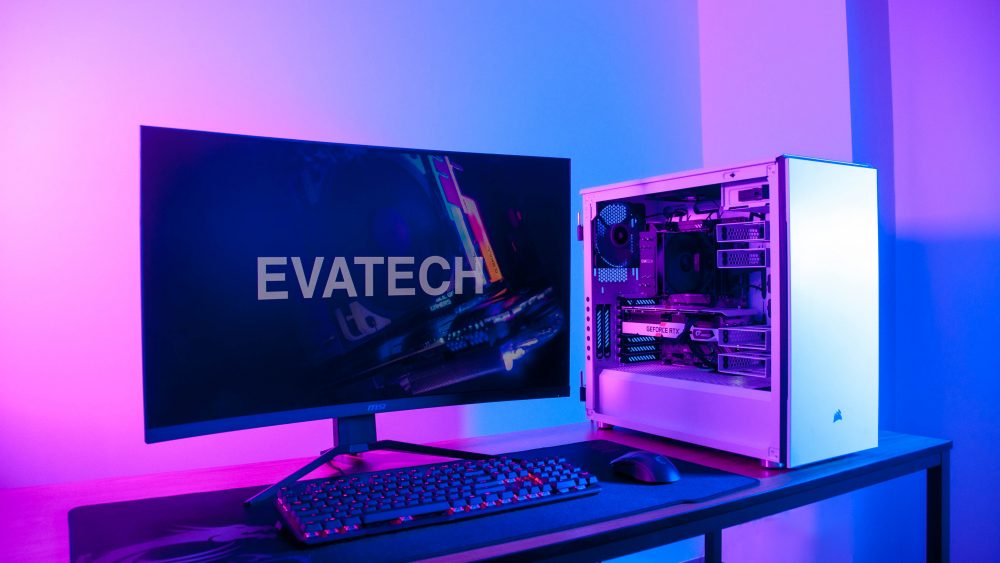
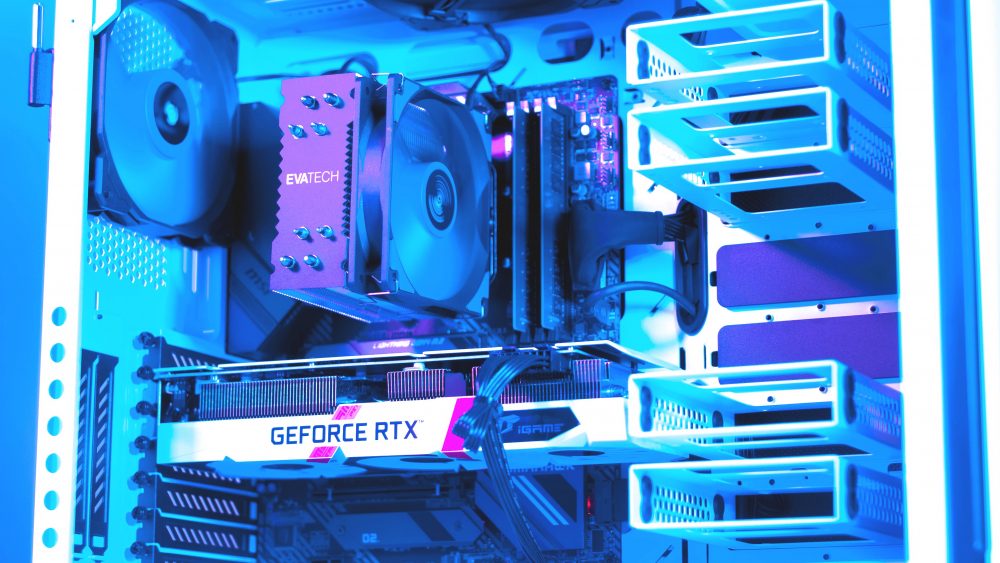
    We get it. Custom built in Australia sounds expensive right? Logic says that should be true, but when you do your homework it’s a very different story. To illustrate this, we’ve done a little experiment. With $2,000 to spend we visited JB HiFi, Bing Lee & Officeworks to see how much bang for our buck we could get, then compared it to an Evatech custom gaming PC for the same price.

    Initial Observations

    The first thing we noticed when doing our comparison is that there wasn’t a lot of options to choose from when it came to a gaming desktop PCs. The second thing we noticed is that there were no options with ‘current-gen’ hardware! Several months after the launch of the 9th-gen Intel CPUs and RTX series GPUs, they were nowhere to be found.

    Last but not least, we noticed a disturbing trend of only 12 month manufacturer warranties. Under Australian consumer rights laws this probably isn’t even legal but we think we know why they do it. We suspect it’s help the retailers push their ‘extended’ warranties. Essentially scaring you in to spending more money on something the law entitles you to anyway.

    Setting the Rules

    To make this as fair as possible we set of very basic ground rules.

    • We couldn’t exceed our $2000 budget
    • We had to choose the best value for money gaming PC without exception
    • All pricing and specifications were recorded on the same day (15/03/2019)
    • All options must be stand alone PCs, not bundled with peripherals or a monitor.
      • Initially this was done to try and ensure the fairest possible comparison and minimise subjectivity but it turned out none of the competitors offered such a bundle in this price range anyway.

    The Comparison Chart

    Officeworks (HP Omen i7)

    JB HiFi (Acer Nitro N50 i5)

    Bing Lee (Acer Nitro N50 i7)

    Evatech (Custom PCID 138234)

    CPU

    Officeworks (HP Omen i7)

    8th Gen 6-Core 8700 4.6GHz

    JB HiFi (Acer Nitro N50 i5)

    8th Gen 6-Core 8400 4.0GHz

    Bing Lee (Acer Nitro N50 i7)

    8th Gen 6-Core 8700 4.6GHz

    Evatech (Custom PCID 138234)

    9th Gen 6-Core 9600K 4.6GHz

    RAM

    Officeworks (HP Omen i7)

    16GB DDR4

    JB HiFi (Acer Nitro N50 i5)

    8GB DDR4

    Bing Lee (Acer Nitro N50 i7)

    16GB DDR4

    Evatech (Custom PCID 138234)

    16GB DDR4

    Video Card

    Officeworks (HP Omen i7)

    NVIDIA GTX 1060 3GB

    JB HiFi (Acer Nitro N50 i5)

    NVIDIA GTX 1060 6GB

    Bing Lee (Acer Nitro N50 i7)

    NVIDIA GTX 1060 6GB

    Evatech (Custom PCID 138234)

    NVIDIA RTX 2060 6G

    (Up to 40% Faster than a GTX1060!)

    SSD

    Officeworks (HP Omen i7)

    128GB

    JB HiFi (Acer Nitro N50 i5)

    128GB

    Bing Lee (Acer Nitro N50 i7)

    256GB

    Evatech (Custom PCID 138234)

    500GB

    Hard Drive

    Officeworks (HP Omen i7)

    2TB

    JB HiFi (Acer Nitro N50 i5)

    1TB

    Bing Lee (Acer Nitro N50 i7)

    1TB

    Evatech (Custom PCID 138234)

    2TB

    Operating System

    Officeworks (HP Omen i7)

    Windows 10 OEM

    JB HiFi (Acer Nitro N50 i5)

    Windows 10 OEM

    Bing Lee (Acer Nitro N50 i7)

    Windows 10 OEM

    Evatech (Custom PCID 138234)

    Windows 10 Full Retail Licence

    (Transferred)

    WiFi

    Officeworks (HP Omen i7)

    JB HiFi (Acer Nitro N50 i5)

    Bing Lee (Acer Nitro N50 i7)

    Evatech (Custom PCID 138234)

    Warranty

    Officeworks (HP Omen i7)

    1 Year

    JB HiFi (Acer Nitro N50 i5)

    1 Year

    Bing Lee (Acer Nitro N50 i7)

    1 Year

    Evatech (Custom PCID 138234)

    3 Years (Extendable to 5!)

    Upgradable / Customisable?

    Officeworks (HP Omen i7)

    JB HiFi (Acer Nitro N50 i5)

    Bing Lee (Acer Nitro N50 i7)

    Evatech (Custom PCID 138234)

    Price

    Officeworks (HP Omen i7)

    $1888

    JB HiFi (Acer Nitro N50 i5)

    $1999

    Bing Lee (Acer Nitro N50 i7)

    $1999

    Evatech (Custom PCID 138234)

    $1999

    The Results

    For the tech savvy among you who understand what you’re looking at on the chart above, the results are pretty clear. For the sake of those who might not have a full understanding of what exactly they are looking at in the chart, we’ll break it down for you.

    A crash course in PC gaming hardware metrics.

    When it comes to gaming performance, they key contributor is the graphics card, as long as the CPU and RAM are not a bottleneck. The best way to compare graphics card performance is with a real world benchmark result. There are thousands of these available online, some from more reputable sources than others. We would recommend using well known and trusted independent hardware review websites like GamersNexus.net, TweakTown.com and Techspot.com

    Here’s an example.

    In modern gaming systems, 8GB of RAM is considered entry level, 16GB plenty and 32GB overkill. As for the CPU in a gaming PC, low end systems will get by with an i3, while mid range systems should ideally be paired with an i5 and only the highest end systems would need to bother with an i7 or i9.

    There is a commonly held misconception when it comes to CPUs that higher “GHz” means more performance or that more cores means more performance. Both of which are both true in a way, but mostly false. “GHz” is a measurement of the CPU’s clock speed or ‘tick’ rate. 4GHz means the CPU cycles through a set of ‘instructions’ 4000000000 times a second. This doesn’t account for the number of instructions per cycle it can handle, also known as “IPC”. A CPU with a higher IPC and lower clock speed can outperform a lower IPC, higher clock rate competitor.

    Furthermore, cores are something that will only contribute to performance if the application or game you are running actually utilises them. Most modern game engines really only make full use of the first 4 to 6 cores (sometimes less). This means in most games, a 4 core CPU and 6 or 8 core CPU with the same IPC and clock rate will perform practically the same when compared side by side.

    Of course this is a very generalised guide and dependence will vary from game to game. That being said, for the vast majority of modern games, this is the widely accepted best practice.

    Gaming Performance

    First Place : Evatech (40+% Higher than 2nd Place)
    This was an easy win, with second place not even coming close. The Evatech configuration blows the competition out of the water with it’s significantly higher performing GPU (video card). You can see one such example in Battlefield V with the benchmark chart shown above. It also has the highest performing gaming CPU of the bunch with the highest IPC.

    Last Place : Officeworks (with JB HiFi not far behind)
    With the slowest GPU (video card) in the pack, the Officeworks PC would perform the worse in most titles. The only exceptions being for the most RAM hungry or CPU dependant games like the Total War series or Civilisation in which the JB HiFi model would lose it’s much lower RAM capacity and lower end CPU.

    Storage Capacity

    A secondary consideration when it comes a gaming PC but an important one none the less. Each system being compared today comes with a primary SSD and secondary regular hard drive. For those of you unfamiliar with the difference SSDs are Solid State Drives. They are significantly higher performing when it comes to boot and load times, but don’t effect in game performance much. Hard drives are spinning mechanical platter storage devices that have are cheaper GB but much slower. Bare in mind that it’s not uncommon for sames to reach 60-70GBs once installed and patched these days, plus Windows itself will eat up 10GB+.

    First Place: Evatech (2-4x more SSD storage capacity than the competition)
    With 500GB of SSD storage you have plenty of storage space to install a bunch of all your favourite games without the need to uninstall others or resort to using the slower hard drive. Still not enough? Well there’s an extra 2TB of space for you to install your less frequently played games and applications on the secondary drive.

    Last Place: JB Hi Fi
    Sporting only 128GB on the primary drive (much of which will be already eaten up by the operating system and bloatware rubbish that will come pre-installed), you’ll have room for 1 or two big AAA games before you run out of space. This is something that the Officeworks system also suffers from but with double the secondary hard drive storage capacity it edges out the JB Hi Fi system to avoid a last place tie.

    Warranty & Upgradability.

    First Place : Evatech
    Pretty clearly the winner in this category with the only system that allows upgrades and comes as standard with much more generous warranty policy than the competition. Free troubleshooting assistance from professionals who actually know what they are talking about. Much much longer warranty period and very reasonable out of warranty repair pricing. Everything you would expect and more, for a $2,000 investment.

    Last Place : JB Hi-Fi, Officeworks, Bing Lee (3 way tie)
    Is it because they use such lower end hardware that they can’t offer more than 12 months warranty? Is it all a scam to to try and rip you off further and help the big box retailers push their extremely pricey and often useless extended warranties? We suspect it’s mostly the latter, but there is also no doubt the hardware you get in an Evatech PC is far superior. Oh, want to upgrade in the future and keep your expensive investment up to date long term? Don’t even think about it, just buy a whole new one. Not only will attempting upgrades void your warranty but in a lot of cases you just simply can’t because they use non-standard hardware that’s simply not compatible with off the shelf gear.

    In Summary (TLDR;)

    Evatech

    • Far superior gaming performance
    • Higher quality latest-gen hardware
    • Upgradable
    • Much better warranty
    • Way better support
    • 100% customizable

    Bing Lee, Office Works & JB-Hi Fi

    • None of the above
    • Overpriced
    • Lacklustre performance
    • Old last-gen hardware
    • Not custom or upgradable
    • Short warranty

    Are we biased? Of course we are. But are we wrong? Well everything we mentioned above is true, verifiable and we stand by it 100%. The rest is up to you to decide. Bare in mind we specialise specifically in custom computers and have done so since our inception in 2013. The competition peddle their so called ‘gaming PCs’ next to staplers, toaster ovens and refrigerators. So is it really that big of a surprise that we would offer better quality, service and value? We don’t think so.

    Not convinced? Give our store website a try at www.evatech.com.au and customise a PC today. It’s quick, easy, powerful, great value and packed with the latest hardware. All you have to do is lock in your order and our team builds, tests, setup and deliver your system to your door in a matter of days while you sit back and save time & money. What more could you want?

  • The Division 2 on PC [Gaming Review]

    The Division 2 on PC [Gaming Review]

    With the launch of the much anticipated Division 2 from Ubisoft today, initial feedback from trusted review sites online is trending pretty positive. Being essentially an online RPG, all we’re getting at this stage is first impressions. We’ll have to wait a until people have more time with the game and start reaching some of the deeper buried content until we start to get a full sense of everything it has to offer.

    But is it better than the first game?

    With out a doubt, yes. But does that mean it’s a good game overall? Well that’s were we need to go in to more detail. In almost every way, The Division 2 is an improvement over its predecessor. The world feels more full and interesting, the gun play and visuals are improved, enemy variance is better. Everything just feels like it’s had an extra layer of polish that the first game didn’t get. This all of course was to be expected, but in the world of gaming, it’s not something that can be taken for granted. Happily this time around the developers have delivered on those expectations.

    How does it fare as a stand-alone game?

    Being a stat and loot driven RPG shooter, the game really needs to success in delivering a meaningful progression system to the player. This means weapon and armour upgrades that actually have a real impact to gameplay. It also means unlocking player attributes that are more than just cosmetic or tiny imperceptible tweaks to an underlying stat system.

    The Division 2 does this well, at least in the early hours of the game. To give you an idea, with the level cap at 30, we’re writing this article only having reached level 17 so far. There is still plenty of post ‘end-game’ content after the main story but in terms of meaningful progression you wouldn’t expect it to extend far past the level cap. New items are spaced well throughout the game, level progression actually means something, perks give you noticeable boosts.

    Most importantly however (this being a third person shooter after all) is the weapons. This is a game where damage hit points come flying out of enemies when you hit them. Where armour actually makes a difference and hitting an enemy in the head will deal a lot more damage than blasting them in a toe. Damage, fire rate and accuracy of your weapon are probably the most important stats in the game. This makes upgrading your arsenal not only necessary but satisfying and a key driver to keep you playing.

    The Good

    Well as previously mentioned, the all important progression system is a big plus, the visuals are great and the game world is interesting. On top of all that, the gun-play (which is pretty crappy in the first game) is much improved with the audio and animations being punchier and enemy animations actually responsive and timely when getting hit.

    Another positive addition to the game, and one we mentioned in the opening paragraph, is a much more varied range of enemies. The combination of size, speed, armour and weapons means you always have to be on your toes. Giant chainsaw wielding melee enemies lurk in narrow corridors while snipers may patrol big open areas. Different factions don’t only look different, but will have different critical hit areas, movement behaviours and weapons. This goes a long way in keeping the game-play feel fresh and less predicable.

    The Bad

    The game isn’t perfect by any means, but it’s far from bad. That being said, if you’re after a great immersive Tom Clancy worthy story, you might be a little disappointed. The characters are good but not great and the overarching plot is fairly predictable. There isn’t much in the way of side compelling stories to explore in the world beyond the main mission either. On the flip side, there is some pretty well done small segments of the game that stand out. These mostly centred around some fairly compelling and interesting villains.

    Another issue we’ve encountered is the shotgun. It’s a simple game mechanic that hearkens as far back as the original Doom. Devastating at close range, useless and long range. That’s all it needs to be. Somehow in this particular game, it’s only one of those two things. At range the Shotgun is as you would expect, pretty useless. However, close up it’s somewhat effective but it barely deals any more damage that a regular rifle. This makes it essentially useless. A fairly small grievance and one that could easily be fixed in a patch, so at this point we’ll just wait and see.

    To Summarise

    In conclusion, we were presently surprised. The game is fun, it’s a big step up over the original and the down sides were only minor. This of course won’t be everyone’s cup of tea. For instance, if you’re a WoW player and not a fan of run and gun action shooters, it’s probably not for you. Likewise, if you’re a Call of Duty fan that likes twitch shooters with sub 1 second time to kill, this won’t be for you either. To summarise, if you like this genre blending style of game then you’ll probably enjoy the Division 2. Just don’t shell out $70 expecting it to be something that it isn’t.

    Get a bit more of the picture with the official launch trailer

    The Hardware Requirements

    Being a very PC-centric game and being built for native 4K support this game can really put a strain on your gaming rig. Especially if you really want to max it out. Ubisoft’s own official hardware recommendations to play at 4K require an RTX2080 TI. Paired ideally with a high end i7-i9 current gen CPU and 16GB of RAM. You can take this with a grain of salt. The publishers recommendations are not always based on actual raw performance. That being said, in this case, they don’t appear to be far from the truth either.

    If like most gamers, you’ll be playing at 1080P or 1440P you can get away with a GTX1070 or RTX2060 GPU. Paired with a high end i5 or Ryzen 7 CPU and 16GB of RAM to keep up. Bare in mind this is for high graphics pre-sets at 60FPS. Remember to keep a little headroom if you’re trying to reach higher frame rates on a high-refresh rate gaming monitor.

    For you budget gamers out there, the minimum officially supported hardware specs are a GTX670 + i5-2500K with 8GB of RAM. This roughly equities to an i3-8100 and a GTX1050 TI. Expect to need to dial both the in game graphics settings and resolution down low to achieve a smooth frame rate.

    Here is the full official list direct from Ubisoft for reference

    The Division 2: Minimum system requirements – 1080p | 30 FPS

    • OS: Windows 7 | 8 | 10
    • CPU: AMD FX-6350 | Intel Core I5-2500K
    • RAM: 8 GM
    • GPU: Nvidia Geforce GTX 670
    • VRAM: 2 GB

    The Division 2: Recommended system requirements – 1080p | 60 FPS 

    • OS: Windows 7 | 8 | 10
    • CPU: AMD Ryzen 5 1500X | Intel Core I7-4790
    • RAM: 8 GB
    • GPU: Nvidia Geforce GTX 970
    • VRAM: 4 GB

    The Division 2: High system requirements – 1440p | 60 FPS 

    • OS: Windows 7 | 8 | 10
    • CPU: AMD Ryzen 7 1700 | Intel Core I7-6700K
    • RAM: 16 GB
    • GPU: Nvidia Geforce GTX 1070
    • VRAM: 8 GB

    The Division 2: Elite system requirements – 4K | 60 FPS 

    • OS: Windows 7 | 8 | 10
    • CPU: AMD Ryzen 7 2700X | Intel Core I9-7900X
    • RAM: 16 GB
    • GPU: Nvidia Geforce RTX 2080 TI
    • VRAM: 11 GB

    Where to buy the Division 2 on PC in Australia

    So how do you get your hands on a copy of the Division 2 for PC? Well in Australia it starts at $64.00 on Amazon or JB-Hi Fi. If you have a JB locally you can walk in and grab a copy on the spot. Not in a rush? If you have Amazon prime you get free delivery. Don’t want to leave the house? It’s just a few bucks more on the Epic Games store. Just don’t get ripped off at EB!

    • Amazon – $64
    • JB Hi-Fi – $64
    • Epic Games Store – $69.95
    • Ubisoft Store – $89.95
    • EB Games – $89.95

    Customising a gaming PC for the Division 2

    Don’t have a gaming PC up to the challenge? Well now you know what sort of hardware you’ll need to hit your desired gameplay experience, the next part is easy. Visit www.evatech.com.au and customise your next dream ‘Division 2’ ready gaming PC today. Australian built, high quality, latest gen gaming PCs built to order and delivered nation wide. Above all, it’s easy, powerful, amazing value and has great built in error checking and performance indicators.

    Simply order online and our team will build, test, and deliver to your doorstep anywhere in Australia!

  • Evatech VS. Harvey Norman Gaming PC

    Evatech VS. Harvey Norman Gaming PC

    It’s been a while since we’ve done a dive in to how our Evatech custom gaming PCs stack up against the competition. So we headed on over to Harvey Norman’s website, typed ‘Gaming PC’ in to the search box and clicked the first thing to appear. Then we headed over to our own custom PC builder page on our website and configured a system to match spec-for-spec as closely as possible for comparison. How do we stack up? Well, we think it’s pretty clear…

    HARVEY NORMAN’S
    HP OMEN 880-185A
    EVATECH VALKYRIE
    GAMING PC (ID:138163)
    HARDWARE
    (see screenshots below for full advertised specification)
    i7 6-Core 8700K CPU
    Nvidia GTX1080 8GB GDDR5
    32GB DDR4 RAM
    512GB SSD + 3TB HDD
    AC WiFi
    Windows 10
    i7 8-Core 9700K CPU
    Nvidia RTX2080 8GB GDDR6
    32GB DDR4 RAM
    500GB SSD + 3TB HDD
    AC WiFi
    Windows 10
    PERFORMANCE^Approx 20-25% LowerApprox 20-25% Higher
    SUPPORTForeign call centre reading from a pre-written script addressing a handful of possible issues. Trained local experts who know what they are talking about and actually built your PC.
    BLOATWARE
    (pre-installed unwanted applications)
    A lot (15+)None. Just a clean install of Windows 10 and the latest hardware drivers.
    WARRANTY12 months, or up to 3 years with third party extension.3 years, with up to 5 year first party extension.
    AUSTRALIAN BUILTNopeYes!
    UPGRADABLENopeYes!
    CUSTOMISABLENope100%
    PRICE$6597$3735

    All the data above is true and accurate as of the 14th of March 2019. Pricing and specifications are subject to change. For the latest pricing and specifications please refer to the website for each retailer compared. ^ Performance metrics averaged based on game benchmark data based on CPU and GPU reviews. Data available online from independent third parties, eg – techspot.com / techpowerup.com / gamersnexus.net

    In Summary

    Well, if you were to purchase the Harvey Norman HP Omen gaming PC over our custom Valkyrie you would be paying $2,862 more. What do you get for that huge premium? Older, lower performing hardware with worse customer support and no ability to customise or upgrade without immediately voiding your warranty.

    How is that even possible!?

    Surely there is something that would justify the price difference, or we have to be hiding something right? Well, the Omen comes with a fancy logo printed on the front of it and can be purchased over the counter (if your local store has stock). The sales-person will be thrilled to key in the order for their KPIs (sales targets) and commission. Likely saying whatever they think it will take to get you to pull out your wallet.

    On the other hand our systems, due to their customisable nature, are built to order. This means you’ll need to be a little patient and wait a few extra days before picking it up or having it shipped out to you. We don’t know about you, but a $2,862 saving plus a huge performance boost seems like a pretty good trade off for a few extra days right?

    The Evidence?

    Depending on how far in the future you’re reading this, you may or not may not be able to pull up each PC on the websites. Pricing is of course subject to change over time but we don’t expect it to change significantly. At the time of writing this article we captured screenshots as evidence in case anything does change moving forward. You can find these below, completely unedited, taken at precisely 10:41am 14/03/2019.

    The Best Part…

    It’s simple. With Evatech, you can choose EXACTLY what you want. No need to limit yourself to a few pre-configured systems. You can get exactly what you want, with none of the crap you don’t need. Do it in your own time without any pushy sales-person who barely know what they are talking about. Tailor a system to any budget and if you need professional assistance you can contact us any time for an obligation free expert one on one assistance. No up-sells, no targets, no KPIs, no sales tricks. Just honest, genuine, & professional advise, guaranteed.

    So how best to get started?

    Well it’s simple. Just visit our store page at www.evatech.com.au

    It’s fast, secure, powerful and has built in performance indicators, guides and compatibility checking to make it easy! Get stuck, have a question or need some advice? Just hit the contact button and shoot us a message. We’ll get back to you ASAP (typically within the hour during business hours). Or give us a call on 03 9020 7017. If you’re a local, drop in to the store at 5/2 Fiveways Boulevarde, Keysborough 3173.

  • Customising a Gaming PC for Metro Exodus in 2019

    Customising a Gaming PC for Metro Exodus in 2019

    In 2007 German game developer released a first person shooter released a game that signified a generational leap in visual game engine technology; punishing so called high end gaming hardware on its highest settings. If you bought the game day one, chances are you and nobody you knew had what it took to play on ultra at 1080P. If you were a PC gamer back then, you know exactly what we’re talking about. Crysis.

    It took 12 years but finally, a truly ‘next-gen’ visual experience is here and again it’s one developed in Europe, although this time Ukraine. The First Metro game was released 2010, only a few short years after Crysis. Metro Exodus, the third game in the series (if you don’t the re-release ‘Redux’ editions) has been in development since 2014 and was just released on February 15th.

    Working closely with Nvidia to be one of the first major game releases to implement DLSS and RTX features from the ground up it’s become a showcase piece to show off just what the tech can do. For fans of the Metro series, the genre, or even just cutting edge PC graphics it surely makes a compelling reason to upgrade an RTX powered rig if you haven’t already.

    Aside from the fancy graphics, how is the actual game?

    Despite the controversy of it being an Epic Games store exclusive on PC, critics are loving the game with it currently sporting a 84/100 on meta-critic.

    Succeeds in its ambitions, making it easy to recommend to both newcomers and series fans alike. 8.75/10

    GameInformer

    An incredible trip through a stunning post-apocalyptic world

    PCGamer 78/100

    brings its survival horror to the surface without sacrificing any of the series’ signature tension.

    IGN 8.5/10

    Taking the series to an open world environment, implementing a day-night system which significantly impacts game-play and going all out with their weapon customisation system, there is a lot to love aside from the fancy graphics. It’s not a run-and-gun twitch shooter by any means, it’s most definitely a survival horror game at its core favouring a more measured and stealthy approach to most sequences. Scrounging for, and conserving precious ammo, crafting new weapons at work benches and unlocking missions through interactions with game characters across a wide open environment it definitely has RPG elements thrown in to the mix.

    But what does it actually take to play?

    To answer this question, the first thing we need to do is figure out exactly what type of experience you’re looking for. If you just want to play the game and have no interest in gorgeous implementation of real time ray-traced global illumination then a GTX1060 and 6th-gen core i5 will be enough to get you through on medium presets at 1080P. But let’s face it, the most impressive part of this game is the visuals and if you really want to get the full effect you’ll need an Nvidia RTX series graphics card (sorry AMD fanboys).

    At the moment there is 4 of these RTX cards to choose from. Pair any of these with a current generation (8th or 9th-gen) i5 CPU or higher, 16GB of DDR4 memory and here is what you can expect.

    With the RTX2060

    • At 1080P Ultra with RTX set to HIGH you can expect around 40FPS with occasional dips as low as 25FPS.
    • At 1440P Ultra with RTX set to HIGH you can expect around 29FPS with occasional dips as low as 20FPS.
    • At 4K Ultra with RTX set to HIGH you can expect an unplayable frame-rate in the low teens.

    With the RTX2070

    • At 1080P Ultra with RTX set to HIGH you can expect around 50FPS with occasional dips as low as 30FPS.
    • At 1440P Ultra with RTX set to HIGH you can expect around 36FPS with occasional dips as low as 23FPS.
    • At 4KUltra with RTX set to HIGH you can expect around 21FPS with occasional dips as low as 15FPS.

    With the RTX2080

    • At 1080P Ultra with RTX set to HIGH you can expect around 60FPS with occasional dips as low as 38FPS.
    • At 1440P Ultra with RTX set to HIGH you can expect around 36FPS with occasional dips as low as 23FPS.
    • At 4KUltra with RTX set to HIGH you can expect around 25FPS with occasional dips as low as 17FPS.

    With the RTX2080 TI

    • At 1080P Ultra with RTX set to HIGH you can expect around 78FPS with occasional dips as low as 46FPS.
    • At 1440P Ultra with RTX set to HIGH you can expect around 58FPS with occasional dips as low as 37FPS.
    • At 4K Ultra with RTX set to HIGH you can expect around 35FPS with occasional dips as low as 24FPS.

    Yep, you read that right. A $2,000 top of the line RTX 2080 TI GPU will be virtually unplayable at 4K on ULTRA presets. But don’t worry, the game will still look awesome on a 4K monitor with DLSS at 1440P or if you go in tweak some of those ‘ULTRA’ preset graphics options down a bit to get your desired frame rates.

    So where do I get my hands on a brand new RTX ready gaming PC?

    It’s easy. We build them to order right here in Australia and deliver to your door nation wide. With built in compatibility checking and performance indicators you can use our online custom PC builder for unrivalled customisability options an instant quote with just a few clicks. A few more clicks and you can order online and have the system on its way to your door anywhere in Australia.

    Check it out by clicking here to get started.

  • Apex Legends : Free to Play Battle Royal Shooter from the makers of Titan Fall 2

    Apex Legends : Free to Play Battle Royal Shooter from the makers of Titan Fall 2

    In a surprise announcement yesterday, Respawn Entertainment both announced and launched Apex Legends. A free to play battle-royal shooter set in the Titan Fall universe and running in the same engine. Taking on the likes of PUBG and Fortnite, the battle-royal shooter genre is fast becoming a crowded space but in just 13 hours Respawn recorded an active player count of over 1,000,000!

    Is it any good & what does it take to play it?

    Online reviews are very positive with quotes like ‘Better than Fornite in every way’ and ‘Feels a lot like Call of Duty Blackout, just more fun’, it’s pretty clear to see why it’s getting so much traction so fast. The developers have also promised long term support and updates with new content patched in periodically to keep it new and interesting to long term players.

    The game is currently only Available on EA Origin’s marketplace but is completely free and is set to stay that way. The developers have promised that all paid content will be cosmetic only and won’t give any players any advantages in-game.

    As with most free to play games, the hardware requirements to get it running are pretty minimal. A modern i3 CPU, 8GB of RAM and a GTX1050 will get a pretty enjoyable experience at 1080P with some of the in-game settings scaled down. That being said, crank all the settings up to max and this game really can look quiet good. To do so at 1080P, we would recommend a GTX1060 6G and i5 CPU combination with 8 to 16GB of RAM. You can scale up the graphics card to a RTX2060 and RTX2070 respectively for 1440P and 4K resolutions.

    Thinking of getting a new gaming rig? It’s a great time! Head on over to our store page here and start customizing your next dream gaming PC today.

  • Building a Custom Gaming PC for 4K Gaming in 2019

    Building a Custom Gaming PC for 4K Gaming in 2019

    With 4K monitors becoming more and more affordable, 4K gaming is spreading through the ranks of high end PC gaming fast, but what does it really take to push that many pixels? We take a look at a few of the most demanding PC games out right now to find out.

    Pre-ample : We’ll be focusing on the graphics card. Why? Well it’s almost always the choke point in gaming performance when you reach 4K. This is of course assuming the CPU and RAM are not bottle-necking it. For the results discussed below we would recommend 16GB of RAM and paring an RTX2070 with a i5 8600K or higher, the RTX2080 with a i5 9600K or higher and RTX2080 TI and any modern i7.

    The RTX2070

    The 4K Entry Level GPU

    4K is a LOT of pixels on the screen and rendering them takes a toll on the GPU. Even Nvidia’s latest generation RTX line up can struggle at times depending on the game and in game settings. Thankfully PC games comes with a lot of in-game graphics settings that all can be adjusted independently. This means with a bit of time tinkering with these options you can often find a sweet spot where performance reaches your target and the game still looks great.

    With the RTX 2070, 16GB or RAM and a mid-range i5 you can expect 4K to playable at 60FPS or more in games like Far-Cry 5, Assassins Creed Origins, Shadow of the Tomb Raider, GTA V, PUBG, Destiny 2 and Battlefield V, but don’t expect it at ultra. That being said, making the comprises to in game graphics settings in the right way and the visuals will still look great. Take the time to mess around in the settings and give the game a try each time you make an adjustment. It may take a while it’s definitely worth your while.

    What can the RTX2070 play at 4K / Ultra settings? Well there’s quite a lot actually.

    • Overwatch
    • Doom
    • F1 2018
    • Fortnite
    • Counter Strike Global Offensive : (CS:GO)
    • Hitman
    • Sniper Elite 4
    • Forza 7
    • Wolfenstien : The New Colossus.

    Note to mention the still very popular but older or less demanding games like World of Warcarft, Leage of Legends, Starcraft and DOTA 2.

    The RTX2080

    4K with less compromise.

    Paired with 16GB or RAM and a high end i5 CPU you can expect somewhere in the realm of a 10-25% boost in performance (depending on the game in question) over the RTX2070. This is enough to push those games that might have been playable at medium settings / 4K on the RTX2070 up to the high presets with approximately the same frame rates.

    What can the RTX2080 play at 4K / Ultra settings? Well in addition to the RTX2070 list above, you can add;

    • Strange Brigade
    • The Division
    • Call of Duty : WWII
    • Star Wars : Battlefront 2
    • Prey
    • Just Cause 3
    • Battlefield 1
    • GTA V

    The RTX2080 TI

    The single most powerful gaming GPU on the market today.

    Paired with 16GB or RAM and a modern i7 CPU the RTX2080TI delivers frame rates in the range of . This is enough to push those games that might have been playable at medium settings / 4K on the RTX2070 up to the high presets with approximately the same frame rates.

    What can the RTX2080 TI play at 4K / Ultra settings? Well in addition to the RTX2080 list above, you can add;

    • For Honor
    • Middle Earth : Shadow of War
    • Assassins Creed Origins
    • The Crew 2
    • Shadow of the Tomb Raider (RTX OFF)
    • Battlefield 1
    • Battlefield V (RTX OFF)
    • Ashes of the Singularity
    • PlayerUnknown’s Battlegrounds (PUBG)
    • Far Cry 5

    4K Gaming with RTX / DLSS

    With the additional GPU overhead that RTX or real time ray tracing places on the GPU, it’s little wonder that even the RTX2080 TI struggles to put up respectable frame rates at 4K in the few games that support RTX when it’s enabled. However with it still being a very new technology, the game developers with the help of Nvidia are constantly making improvements.

    DLSS or deep learning super-sampling is an ingenious technology designed to use artificial intelligence to scale lower resolution rendering up to higher ones with minimal loss of detail and big gains in performance. Once we start to see a few more performance patches, updated drivers and games start to launch with DLSS and RTX both built in, it may be a very different story.

    Battlefield V will be the first to market with this DLSS and RTX combination with RTX being implemented already but DLSS on the way in an upcoming patch. Nvidia boasts enabling DLSS with RTX turned on will result in very similar performance to having RTX off all together which, if true, is fantastic news for 4K gamers.

    Customizing a Gaming PC for 4K Gaming

    Well now you have everything you need to know, you can jump right in to our custom gaming PC builder (linked here) and get started. Just bare in mind the recommended CPU and RAM pairings with each GPU, don’t forget to set aside some of your budget for the 4K monitor. As for the other components, our custom PC builder page is pretty good at guiding you through the options so you don’t need to worry too much. A lot of the options are mostly based on personal preferences and come down to aesthetic choice, or how much storage capacity you think you’ll need. If you have any questions before you place your order feel free to shoot us an email at any time and we’ll get back to you ASAP.

    Choosing the Right 4K Gaming Ready Monitor

    As you would probably expect, 4K monitors are not exactly ‘cheap’. Acer, Asus, Samsung and Philips all have 4K monitors at various different physical formats from 27″ to 40″ and they start from around the $900 mark. You can checkout our monitor range by (clicking here) or visiting our online store at www.evatech.com.au

    Monitors are something that are frequently updated with new models, so if you’re reading this a few months or more after this article was originally posted, pricing and availability may have changed. That being said, the industry trend is heading towards more options at better pricing so unless something terrible has happened, the options will only be better.

  • Metro Exodus, Coming to PC FEB 15th 2019

    Metro Exodus, Coming to PC FEB 15th 2019

    Fans of the series probably are already keenly aware that the next installment in the critically acclaimed Metro series is only just over a month away. However there are probably a lot of you out there who might not have tried the previous games and are hungry for some proper post-apocalyptic single player action after the flop that was Fallout-76.

    Based on a series of novels, the Metro world is a dark and gritty survival story of a group of Russians exiled to the metro subway tunnels in a bid to escape the radiation and wasteland horrors above. The series is best know for it’s atmosphere and is easily one of the most eerie and unnerving experiences you can find a video game.

    Playing this game like a run & gun arena shooter (eg, Doom or Quake) is simply not going to work. Ammo is scarce, environments are dark and getting hit my enemies is devastating and unforgiving. While it may not be everyone’s cup of tea, this is a game that rewards stealth & patience for those with a high tolerance for the creepy and unsettling, not just shock and gore.

    What you need to know,

    • Landing February 15th on Steam and PC game retailers.
    • Exodus will be the first in the series to really focus on larger scale open outdoor environments with the player traversing the wasteland between levels in an above ground train.
    • The game is staying true to it’s roots and fan base with a purely single player story driven experience. No multiplayer, no battle-royal, no paid hats, loot boxes or weapon skins.
    • The game will be among the first to have a full and proper RTX real time ray tracing integration for gamers with RTX series video cards.
    • The seasons will change as the game progresses with the story taking place over a year and within each level there are full day/night cycles.
    • Weapon customization has been expanded and optimized.
    • Official PC system hardware requirements have not yet been published but expect to need a pretty beefy high end system if you want to crank the settings up to high and take advantage of RTX. We would recommend an modern i5 CPU, a RTX2070 GPU and 16GB of DDR4 system memory.

    Still not convinced? Check out the Trailer.

    Time for a new Metro ready gaming PC?

    Head on over to our custom gaming PC store page and checkout the full range. As mentioned above, at the time of writing this article the official hardware specifications haven’t been released but common sense says if you go with an i5 or Ryzen 7 CPU, RTX 2070 and 16GB of RAM in your system, you’ll be ready.

  • The Division 2 Hardware Requirements & PC Release Date

    The Division 2 Hardware Requirements & PC Release Date

    It’s no secret that while the Division 1 had some great concepts and potential, it failed to live up to the hype and turned out to be a pretty average game at best.

    That’s what makes Division 2 so exciting. Ubisoft has the chance to take what it learned the first time around and actually deliver on the potential.

    It might have an uphill battle in convincing players of the first installment to give it another try, but there was enough done right in first game that we feel the majority will pick up #2 for a try.

    The Official Hardware Requirements

    Straight from the Ubisoft’s website, the following are the game publishers recommendations for each performance tier. This level of detail is something we rarely see from game publishers and their official hardware specifications and it’s great to see. Hopefully this is the begging of a trend so gamers really know what soft of performance they can expect before they buy.

    Minimum – 1080p | 30 FPS

    • OS: Windows 7 | 8 | 10
    • CPU: AMD Ryzen 5 2600 | Intel Core I5-8400
    • RAM: 8 GB
    • Nvidia Geforce GTX 1060 3G or Equal
    • VRAM: 2 GB
    • DIRECT X: DirectX 11 | 12

    Recommended – 1080p | 60 FPS

    • OS: Windows 7 | 8 | 10
    • CPU: AMD Ryzen 5 2600 | Intel Core i5-8500
    • RAM: 8 GB
    • GPU: Nvidia Geforce GTX 1060 6G or Equal
    • VRAM: 4 GB
    • DIRECT X: DirectX 11 | 12

    High – 1440p | 60 FPS

    • OS: Windows 7 | 8 | 10
    • CPU: AMD Ryzen 7 2700 | Intel Core i7-8700
    • RAM: 16 GB
    • GPU: Nvidia Geforce RTX 2060
    • VRAM: 8 GB
    • DIRECT X: DirectX 11 | 12

    Elite – 4K | 60 FPS

    • OS: Windows 7 | 8 | 10
    • CPU: AMD Ryzen 7 2700X | Intel Core I7-9700K
    • RAM: 16 GB
    • GPU: Nvidia Geforce RTX 2080 TI
    • VRAM: 11 GB
    • DIRECT X: DirectX 11 | 12

    Now you know what soft of hardware you need, if you don’t think your current gaming PC is up to the task, you can head on over to our custom PC builder store page and start customizing your next dream custom PC. Order soon and get it delivered and ready to go before launch!

    The Release Date

    The Division 2 is currently slated for release on the 15th of May. It will be available for download via the Epic Games Store and of course the Ubisoft Store (uPlay).

    PC, The Definitive Version, As Expected.

    While it’s par for the course for big budget action games to get higher fidelity and better graphics settings on PC, Ubisoft are going all out this time around with a myriad to PC optimized features and functionality.

  • Customizing A Gaming PC for Battlefield V & RTX

    Customizing A Gaming PC for Battlefield V & RTX

    With Battlefield V’s Tides of War Chapter 2 update being released next week and the RTX2060 to follow soon after we’re decided it would be a great time to jump in and review what sort of gaming PC it requires to play Battlefield V with RTX on (Ray Tracing) at 1080P / 1440P and 4K.

    We’ll be doing this with a focus on the RAM, CPU and most importantly the video card (GPU) as these are key components that contribute to performance. All other components do not directly contribute to in game performance so you can pick and choose your favorites based on personal preferences, aesthetics and functionality requirements.

    New RTX Tech (DLSS)

    When Battlefield first got it’s original RTX enabling update it only enabled real time ray tracing which arguably is one of the most impressive features of the latest generation of RTX series graphics cards. However it did not initially get DLSS, aka Deep Learning Super Sampling. For those unfamiliar with the concept, this technology is essentially a ‘smarter’ way of handling AA (anti-aliasing), the togglable option in most modern PC games that essentially smooths out rough edges.

    At Nvidia’s latest press conference at the 2019 CES show in Las Vegas, they showed off performance charts that indicated enabling DLSS would not only make the game look that much better, but actually boost your in game performance when ray tracing is enabled. Now this isn’t something that’s been guaranteed to be included in the big upcoming patch but Nvidia and Dice have promised to deliver it ‘soon’.

    A Closer Look at the RTX 2060

    Nvidia’s newest GPU to hit the market in the wake of the RTX 2080, then 2080 TI and 2070. As the name suggests the price and performance of this card is expected to land a touch below the RTX 2070 offering the latest RTX enabled tech like ray tracing and DLSS at a new lower price point. These cards are set for release on January 15th however initial price and availability is still TBD. For more details on the upcoming RTX 2060 reach out to us or stay tuned to our website.

    The Specifications

    • 6GB of GDDR6 14Gbps Memory
    • 240 Tensor Cores
    • 37 RTX Ops
    • 1680MHz Boost Clock (-/+ depending on model)
    • 160w TDP

    Now you can compare these against the RTX 2070 to get an idea of the overall performance.

    • 8GB of GDDR6 14Gbps Memory
    • 288 Tensor Cores
    • 42 RTX Ops
    • 1620MHz (-/+ depending on model)
    • 175w TDP

    You can checkout the full summary of the CES press conference on the Nvidia website here for a recap, videos and presentation slides.

    Customize as you Go!

    If you want to play along at home and while you read this article also begin customizing your next dream custom gaming PC for Battlefield V on our website simply head on over to our store page (by clicking the link here). It’s quick, easy and with a click of a button you can upgrade, downgrade, remove or add a massive range of the latest PC hardware to your build, then with a click of a button save it for later or order it online!

    What you need to play at 1080P with RTX & DLSS ON

    Based on the independent third party performance testing of Battlefield V coupled with Nvidia’s CES press conference data, we would recommend the following specification. Of course this doesn’t take in to account various other in game settings that can effect performance but we would base this on the high graphics pre-sets with the possibility of some minor tweaks.

    • Intel i5 8400 or Equivalent
    • 16GB of DDR4 RAM
    • RTX2060 6G Video Card

    Recommended pairing with the other non-performance delivering components for the best balance ‘bang-for-buck’ value.

    • B360M Gaming Edition Motherboard
    • 250G/500G SATA SSD Primary Drive
    • A mid range Mid-Tower chassis with decent airflow A mid range Mid-Tower chassis with decent airflow
      • eg, Corsair Carbide Spec series, Carbide 270R, Fractal Design Focus G or Meshify C
    • 550W Gold PSU
    • Windows 10 Home Edition
    • WiFi & additional hard drives if needed.

    What you need to play at 1440P with RTX & DLSS ON

    Scaling up from our 1080P recommendation would push the video card and CPU up a notch but keep the RAM at 16GB. RAM is something that doesn’t necessarily add anything in terms of performance simply by having more of it than you need nor is more necessarily required when you increase your resolution, frame rate or graphics settings. As a result, with 16GB being the sweet spot for value for any performance in PC gaming right now, it will be the same across all our recommendations.

    • Intel i5 8600 or Equivalent
    • 16GB of DDR4 RAM
    • RTX2070 8G Video Card

    Again, here’s a recommended set of accompanying components to fill out the rest of your build for the best ‘bang-for-buck’ value and performance when pairing with the CPU, GPU and RAM listed above.

    • B360M Gaming Edition Motherboard
    • 250G/500G SATA SSD or NVMe M.2 Primary Drive
    • A mid range Mid-Tower chassis with decent air flo
      • eg, Corsair Carbide Spec series, Carbide 270R, Fractal Design Focus G or Meshify C
    • 550W Gold PSU
    • Windows 10 Home Edition
    • WiFi & additional hard drives if needed.

    What you need to play at 4K with RTX & DLSS ON

    4K is a very very high resolution for gaming. To play at 4K you are essentially asking your video card to render 4x as much in terms of pixels on the screen when compared to a regular 1080P display. Does this mean you need 4x the amount of GPU horsepower to achieve it? Not quiet, but don’t expect to get there on a budget. This is why the RTX2080 TI exists with it’s enormous amount of GPU compute power, and the price tag to match. This is an extreme GPU for an extreme level of fidelity in game. You will also need a 4K monitor which don’t come cheap, and even, you may need to scale back some of the other in game settings slightly to keep the dips above 60+ FPS.

    • Intel i7 9700 or Equivalent
    • 16GB of DDR4 RAM
    • RTX2080TI 11G Video Card

    Last but not least, here is the hardware we would recommend pairing with this CPU, GPU and RAM. Of course this is just a guide and you can by all means make any adjustments or choose any other hardware you wish. Our custom PC builder has built in error detection so you don’t need to worry about compatibility issues. If you wanted to get our option and some recommendations on your configuration after you’ve saved in on our website just shoot us an email with the PCID number!

    • Z390 Gaming Edition Motherboard
    • 120mm Tower Air CPU or Liquid Cooler
    • 250G/500G NVMe M.2 Primary Drive
    • A mid to high end Mid-Tower chassis with good air flow
      • eg, NZXT H500 or H700, Corsair Spec Omega or Carbide Air 540 and the Fractal Design Focus G or Meshify C
        • Avoid low airflow chassis like the MSI MAG or InWin 805C and 303
    • 750W Gold PSU
    • Windows 10 Home Edition
    • WiFi & additional hard drives if needed.

    Limited Time Bonus : Get Battlefield V Free

    Nvidia is also offering both Battlefield V or Anthem free with any purchase of an RTX series card from selector vendors. This offer is also included when purchasing an RTX powered custom gaming PC from our store at www.evatech.com.au. This offer is valid for a limited time only, see our site for details.

  • Fallout 76 : Building A Custom Gaming PC For The Wasteland!

    Fallout 76 : Building A Custom Gaming PC For The Wasteland!

    The release of the long anticipated latest Fallout game is finally upon us and to celebrate we’re diving in to exactly what PC hardware you’ll need in your next custom gaming PC to dive in.

    If you’ve found this article you probably already know what Fallout 76 so lets get straight down to business.

    The Hardware Requirements

    Gaming PCs are fueled by three main components. The CPU, the RAM and the GPU (aka video card). In general, if the CPU and RAM isn’t a bottleneck, its the GPU which is the most important for delivering a smooth frame rate with all the fancy graphics setting cranked up.

    The games publisher Bethesda have published their official minimum and recommended hardware specifications online. While these are usually geared very low to capture the widest possible audience, it’s a good indication of the CPU/GPU balance and RAM requirement.

    Processor: Intel Core i7-4790 3.6 GHz/AMD Ryzen 5 1500X 3.5 GHz
    Graphics: Nvidia GTX 970 4GB/AMD R9 290X 4GB
    Memory: 8GB RAM

    Recommended hardware requirements – Bethesda 

    You will probably notice pretty quickly that the listed hardware is older generation models. This might be a little confusing but with a bit of common sense it’s pretty easy to translate in to the current-gen equivalents.


    Processor: Intel Core i5 8600 4.3GHz
    Graphics: Nvidia GTX 1060 6GB
    Memory: 8GB RAM (DDR4)

    The same hardware requirements translated to modern equivalents.

    Making sense of the Requirements

    While some games rely heavier on the GPU than the CPU, others are weighed in the opposite direction. Fallout 76 being a large scale open world RPG, is evidently more CPU depended than most games.

    Bare in mind also that the ‘recommended’ hardware requirements are just a guide issued by the publisher stating that if you meet these requirements you should get a ‘good’ experience playing the game. It doesn’t guarantee a frame rate over 60 at any particular graphics settings although a reasonable gamer may assume it’s at least 60fps @ medium pre-sets.

    If you want higher frame rates, to turn up all the graphics to ultra or to run at 4K, you’ll have to make the necessary adjustments (mostly to GPU) to keep up.

    “Recommended” Requirements

    If you want to take Bethesda’s word for it and don’t mind not playing at the highest settings we’ve put together the following configuration for you to take a look at.

    Note : All our gaming PCs are 100% customisable so feel free to jump in and select a different chassis , add additional hard drive capacity or a WiFi adapter if needed! Our built in error detection will catch any potential conflicts. As long as the CPU, RAM and GPU stay the same, you can expect the same level of performance.

    • Case: Corsair Carbide Spec-04 Tempered Glass Red Mid Tower
    • Motherboard: Intel B360 Gaming Edition mATX Motherboard
    • CPU: Intel i5 8600 6-Core 4.3GHz
    • CPU Cooler: Stock CPU Cooler
    • RAM: 8GB DDR4 Core
    • Primary Storage Device: 250G SATA3 SSD – 420MB/s
    • Second Storage Device: 1TB Hard Drive – 150MB/s
    • Graphics Card: Nvidia GTX 1060 6GB OC
    • Power Supply: 550w 80 Plus Gold [$10 OFF]
    • Operating System: Windows 10 64bit Home Edition USB

    Click here to checkout this configuration on our store page where you can further customize it or order it online!

    “Ultra @1080P” Requirements

    As previously mentioned, all our gaming PCs are customisable and we have a ton of options to choose from. Perhaps you prefer a different case? Want to add a WiFi adapter? Maybe need some extra storage space? Just hit that ‘customise’ button on the page linked below.

    Case: Corsair Carbide Spec-04 Tempered Glass Red Mid Tower
    Motherboard: Intel B360 Gaming Edition mATX Motherboard
    CPU: Intel i5 8600K 6-Core 4.3GHz
    CPU Cooler: 120mm Tower Air Cooler
    RAM:16GB DDR4 Black
    Primary Storage Device: 500G NVMe M.2 SSD – 1500MB/s
    Second Storage Device: 2TB Hard Drive – 150MB/s
    Graphics Card: Nvidia RTX 2070 8GB OC
    Power Supply: 550w 80 Plus Gold [$10 OFF]
    Operating System: Windows 10 64bit Home Edition USB

    Click here to checkout this configuration on our store page where you can further customize it or order it online!

    “ULTRA @4K/UHD” Requirements

    Note for this one we’ve deviated from the more ‘cost-effective’ basic chassis listed for the configurations used above, this time opting to go for the limited edition Nuka Cola NZXT H700. Lets face it, if your building a gaming PC just to play Fallout 76 on ultra settings at 4K, why wouldn’t you splurge a little and get the awesome looking limited edition chassis to match? 

    Case: NZXT H700 Nuka Cola Limited Edition
    Motherboard: Intel B360 Gaming Edition mATX Motherboard
    CPU: Intel i7 8700 6-Core 4.6GHz
    CPU Cooler: 120mm Tower Air Cooler
    RAM: 16GB DDR4 Black
    Primary Storage Device: 500G NVMe M.2 SSD – 1500MB/s
    Second Storage Device: 2TB Hard Drive – 150MB/s
    Graphics Card: Nvidia RTX 2080 8GB OC
    Power Supply: 750w 80 Plus Gold
    Operating System: Windows 10 64bit Home Edition USB

    Click here to checkout this configuration on our storage page where you can further customize it or order it online!

    The take away,

    Hopefully now you’ve got a good idea of what modern day latest gen hardware you need to play the game at the performance level your aiming for. Remember it all comes down to GPU, CPU and RAM (in that order!).

    If you still have questions or just need some help deciding on which of the other components you need please don’t hesitate to get in touch. You can find our contact page here or if you’re local, drop in to our store (Keysborough, VIC) Monday to Friday, 10am to 6pm for a chat!