Category: Guide

  • Fallout 76 : Building A Custom Gaming PC For The Wasteland!

    Fallout 76 : Building A Custom Gaming PC For The Wasteland!

    The release of the long anticipated latest Fallout game is finally upon us and to celebrate we’re diving in to exactly what PC hardware you’ll need in your next custom gaming PC to dive in.

    If you’ve found this article you probably already know what Fallout 76 so lets get straight down to business.

    The Hardware Requirements

    Gaming PCs are fueled by three main components. The CPU, the RAM and the GPU (aka video card). In general, if the CPU and RAM isn’t a bottleneck, its the GPU which is the most important for delivering a smooth frame rate with all the fancy graphics setting cranked up.

    The games publisher Bethesda have published their official minimum and recommended hardware specifications online. While these are usually geared very low to capture the widest possible audience, it’s a good indication of the CPU/GPU balance and RAM requirement.

    Processor: Intel Core i7-4790 3.6 GHz/AMD Ryzen 5 1500X 3.5 GHz
    Graphics: Nvidia GTX 970 4GB/AMD R9 290X 4GB
    Memory: 8GB RAM

    Recommended hardware requirements – Bethesda 

    You will probably notice pretty quickly that the listed hardware is older generation models. This might be a little confusing but with a bit of common sense it’s pretty easy to translate in to the current-gen equivalents.


    Processor: Intel Core i5 8600 4.3GHz
    Graphics: Nvidia GTX 1060 6GB
    Memory: 8GB RAM (DDR4)

    The same hardware requirements translated to modern equivalents.

    Making sense of the Requirements

    While some games rely heavier on the GPU than the CPU, others are weighed in the opposite direction. Fallout 76 being a large scale open world RPG, is evidently more CPU depended than most games.

    Bare in mind also that the ‘recommended’ hardware requirements are just a guide issued by the publisher stating that if you meet these requirements you should get a ‘good’ experience playing the game. It doesn’t guarantee a frame rate over 60 at any particular graphics settings although a reasonable gamer may assume it’s at least 60fps @ medium pre-sets.

    If you want higher frame rates, to turn up all the graphics to ultra or to run at 4K, you’ll have to make the necessary adjustments (mostly to GPU) to keep up.

    “Recommended” Requirements

    If you want to take Bethesda’s word for it and don’t mind not playing at the highest settings we’ve put together the following configuration for you to take a look at.

    Note : All our gaming PCs are 100% customisable so feel free to jump in and select a different chassis , add additional hard drive capacity or a WiFi adapter if needed! Our built in error detection will catch any potential conflicts. As long as the CPU, RAM and GPU stay the same, you can expect the same level of performance.

    • Case: Corsair Carbide Spec-04 Tempered Glass Red Mid Tower
    • Motherboard: Intel B360 Gaming Edition mATX Motherboard
    • CPU: Intel i5 8600 6-Core 4.3GHz
    • CPU Cooler: Stock CPU Cooler
    • RAM: 8GB DDR4 Core
    • Primary Storage Device: 250G SATA3 SSD – 420MB/s
    • Second Storage Device: 1TB Hard Drive – 150MB/s
    • Graphics Card: Nvidia GTX 1060 6GB OC
    • Power Supply: 550w 80 Plus Gold [$10 OFF]
    • Operating System: Windows 10 64bit Home Edition USB

    Click here to checkout this configuration on our store page where you can further customize it or order it online!

    “Ultra @1080P” Requirements

    As previously mentioned, all our gaming PCs are customisable and we have a ton of options to choose from. Perhaps you prefer a different case? Want to add a WiFi adapter? Maybe need some extra storage space? Just hit that ‘customise’ button on the page linked below.

    Case: Corsair Carbide Spec-04 Tempered Glass Red Mid Tower
    Motherboard: Intel B360 Gaming Edition mATX Motherboard
    CPU: Intel i5 8600K 6-Core 4.3GHz
    CPU Cooler: 120mm Tower Air Cooler
    RAM:16GB DDR4 Black
    Primary Storage Device: 500G NVMe M.2 SSD – 1500MB/s
    Second Storage Device: 2TB Hard Drive – 150MB/s
    Graphics Card: Nvidia RTX 2070 8GB OC
    Power Supply: 550w 80 Plus Gold [$10 OFF]
    Operating System: Windows 10 64bit Home Edition USB

    Click here to checkout this configuration on our store page where you can further customize it or order it online!

    “ULTRA @4K/UHD” Requirements

    Note for this one we’ve deviated from the more ‘cost-effective’ basic chassis listed for the configurations used above, this time opting to go for the limited edition Nuka Cola NZXT H700. Lets face it, if your building a gaming PC just to play Fallout 76 on ultra settings at 4K, why wouldn’t you splurge a little and get the awesome looking limited edition chassis to match? 

    Case: NZXT H700 Nuka Cola Limited Edition
    Motherboard: Intel B360 Gaming Edition mATX Motherboard
    CPU: Intel i7 8700 6-Core 4.6GHz
    CPU Cooler: 120mm Tower Air Cooler
    RAM: 16GB DDR4 Black
    Primary Storage Device: 500G NVMe M.2 SSD – 1500MB/s
    Second Storage Device: 2TB Hard Drive – 150MB/s
    Graphics Card: Nvidia RTX 2080 8GB OC
    Power Supply: 750w 80 Plus Gold
    Operating System: Windows 10 64bit Home Edition USB

    Click here to checkout this configuration on our storage page where you can further customize it or order it online!

    The take away,

    Hopefully now you’ve got a good idea of what modern day latest gen hardware you need to play the game at the performance level your aiming for. Remember it all comes down to GPU, CPU and RAM (in that order!).

    If you still have questions or just need some help deciding on which of the other components you need please don’t hesitate to get in touch. You can find our contact page here or if you’re local, drop in to our store (Keysborough, VIC) Monday to Friday, 10am to 6pm for a chat!
  • Customising The Best Gaming PC for August 2018

    Customising The Best Gaming PC for August 2018

    We often get asked for advise from customers who have a rough idea of what they are trying to achieve but are just not quiet sure what the best configuration for their particular needs is.

    For the purposes of this article we are going to make a few basic assumptions.

    • Primary Use : Gaming
      By far the most common and often the trickiest to determine with a lot of conflicting information floating around online.
    • Goal : Best value for money
      Isn’t this always the goal? Well not always, a lot of our customers do like to splurge on aesthetics with bigger coolers, RGB LEDs and high end fancy chassis. Our recommendation below won’t take aesthetics in to account as it’s too subjective. That being said, you  can always use this guide as a jumping off point for the performance aspect and make a few tweaks or additions to get it exactly how you like it!
    • Availability : Right Now!
      In the world of PC hardware, something new is always around the corner and you can always find someone to tell you ‘just wait another month or two and you can get the X with the Y and it will be so much better’. Well sometimes this true but quiet often it’s a longer than expect wait for a smaller than expected jump in performance. Don’t forget to factor in the value of being able to game on your new PC for that extra time and remember, even if you wait a few weeks or months for the next big thing, it’s only a few months away from the next, next big thing and  you can’t wait for ever!

    It also might be worth checking out our online custom PC builder page linked here before you jump in to the rest of the article so you can get a better idea of what we are discussing.

    Getting Started; Addressing the lies

    Don’t fall for the CPU and RAM trap!

    There are three main contributors to a PCs performance, the CPU, RAM and GPU (aka video or graphics card) but contrary marketing hype it’s not all about the CPU or RAM.

    For almost all games, especially triple-A big budget 3D titles, the video card is the key contributing factor to in-game performance. The heart and soul of any gaming PC as long it’s not bottle-necked, responsible for rendering as many frames per second to the screen as it possibly can. The more frames per second, the better the performance and smoother than experience.

    It really is that simple but quiet often the ‘gaming PCs’ you see in big box stores sitting on the shelf are configured purely for marketing purposes, designed to be sold to people who know nothing about PC hardware by shady salesmen who know equally as little or are happy to lie to your face to get their sales.

    This is why you’ll commonly see an i7 CPU and a huge amount of RAM paired with some entry level or mid range video card completely unnecessarily! Why? Sadly it’s because your average mum or dad wandering in to a JB HIFI to buy their 13 year old a ‘gaming PC’ has no idea how important the video card is and how to even compare them against one another. What they do end up comparing is the CPU and RAM, a poor indicator for gaming performance but an easy mistake for the un-savvy customer to make. It seems intuitive right? i7 is better than i5 or i3 and more GB’s means faster!  Well this is completely wrong.

    If you take anything away from this article to save you money on your next gaming PC purchase it should be these simple facts;

    • You should always start with the GPU and work backwards.
      Figure out what sort of performance you are looking for, choose the right video card for your needs and work backwards to make sure you choose the appropriate supporting hardware.
    • More cores doesn’t mean better gaming performance.
      Most modern game engines will only utilize 4 cores and barely touch the others. In fact a lot will only really fully utilize 2! This might change a bit in the future but not any time soon and it’s been this way for a very long time. As a result in the vast majority of games an i5 will match in i7 in performance and in some cases even the i3’s!
    • More RAM that you actually don’t need doesn’t actually do anything.
      These days, RAM comes capacities come in increments of 8GB and in all but the most demanding games, 8GB will get you by just fine. Jump up to 16GB and your totally covered, anything higher just isn’t going to make a difference for gaming.

    Choosing the best video card for gaming PC and pairing it correctly

    For as critical as this step is to any gaming PC, it’s not actually that difficult. Performance and price almost scales uniformly and it’s generally a case of you get what you pay for. The only real trick is knowing what you can expect for money.

    Top of the Line
    Best Gaming PC GPU for 144Hz, 4K & VR

    If you really want the best of the best, as of today the GTX 1080 TI is the only way to go.  The only card considered a higher tier than this is the much more expensive Titan X which is more optimized towards professional applications over gaming and as a result even with it’s extra pipelines and on-board memory they perform almost identically in terms of gaming.

    To pair with this, a high end i5 like the 8600 or 8600K with 16GB of RAM would be our recommendation but if you wan’t that extra piece of mind and it’s within your budget, an i7 would be worth concidering. Especially if you have some secondary use cases that would leverage the extra cores or if your a big fan of games like the Total War series that lean much more heavily on the CPU.

    Great
    The Best Gaming PC GPU for 1080P / Max Settings

    A couple of steps down from the top is the GTX1070 or GTX1070 TI. Both great cards in their price range with only very little difference in performance and price between them and each capable of running all modern games at 1080P extremely well, even at high / ultra graphics settings very well.

    For CPU and RAM, a mid to entry level i5 with 16GB of RAM would be all you need, no need to worry about an i7 at this tier.

    Mid-Range
    The Best Gaming PC GPU for General 1080P Gaming

    A lot of games, especially popular e-sports titles don’t really require much in the way of gaming PC horsepower as they try to optimize for high frame rates over rich, high detailed 3D environments. A great example of which are titles like Overwatch and Fortnite. If these are the types of games you love and you don’t really worry about needing to crank all the graphics settings up to their highest you can easily get away with a GTX 1060 3GB.

    The 3GB model is a slightly cut down version of the 6GB but still plenty to get very smooth frame rates across a very wide range of popular titles and if you dial back the settings a bit you can still find a very enjoyable balance in the more demanding games too.

    A high end i3 like the 8300 would be great pairing with this card and you could easily get away with only 8GB or RAM.

    Entry Level
    The Best Gaming PC GPU on a Tight Budget

    Happy with medium pre-sets and really only play a handful of less demanding classics like Counter Strike, Team Fortress, Dota etc? The GTX 1050 packs enough of a punch to keep you very happy, but don’t expect 4K or VR levels of power! It’s great value for a lot of games but you might struggle in a more demanding title a little further down the road.

    As for CPU and RAM with this one, it doesn’t really matter. Even the entry level Pentium would get the job done and anything over 8GB of RAM would be waste of money.

    Should you go with SLI? (Dual Video Cards)

    For those of you not familiar with the term, that means running two of the same model GPU in the same machine, setup and linked together so they work together to power your PC while you’re gaming. The upside is a lot more gaming performance assuming the game you are playing is well optimized to support it. The down side is of course the extra cost, not only in the second GPU, but the motherboard and power supply that is required to support it.

    Remember, even the most optimized games don’t scale 1:1 so it’s always better to have a single higher performing card over two less powerful ones.

    So the answer is yes, but only if it’s a high end card, it’s within your budget, and your happy to pay the premium involved with to get the extra performance.

  • Building a custom gaming PC for Fortnite @ 4K

    Building a custom gaming PC for Fortnite @ 4K

    Occasionally a game comes around that is so unanimously popular that our sales team start to get asked daily for a recommendations configuration a custom gaming PC specifically to play it.

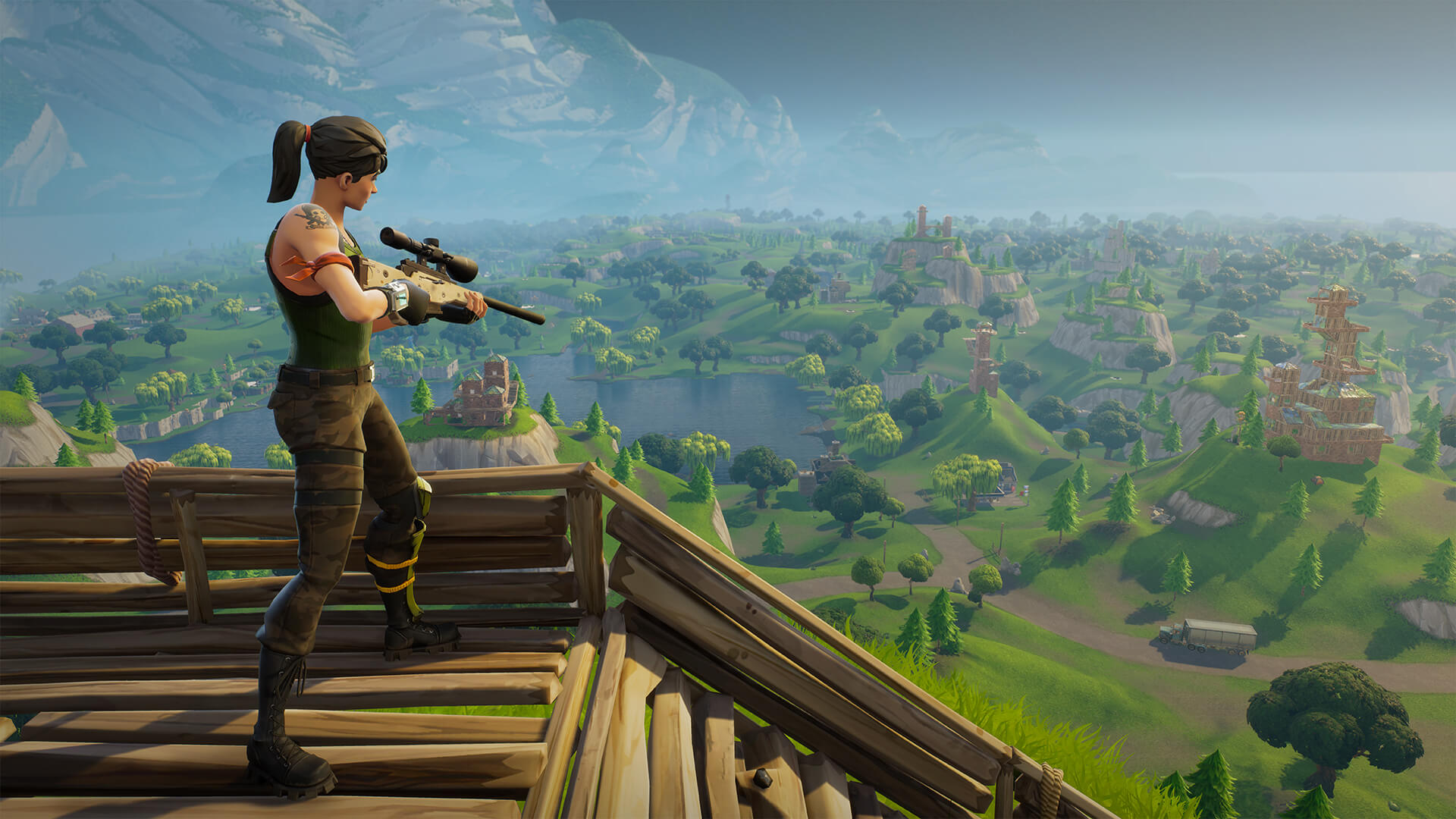
    Fortnite is one of those games that will run great on older hardware at 1080P but what will it take to crank out a satisfying frame rate at 4K on Epic pre-sets? This is the question A LOT of you guys have been asking so it’s one we’ll have to take the time to write this article about!

    Laying out the ground rules.

    The goal of this article is to not only run through how to configure a custom gaming PC to run Fortnite on ‘Epic’ quality at 4K but to explain the how and why behind our recommendation.

    When it comes to cranking out high resolution frame rates by far the most important component of the system is the video card (aka GPU). This is true in almost any game so the goal is to basically to find which video card it takes to handle these settings and work backwards from there.

    What do we mean when we say we work backwards from the GPU? Well it’s simple. Once we know what GPU we need, you pair that with a CPU and RAM combo that won’t bottleneck it for the best price, then a power supply that’s capable to handling this configuration, a suitable motherboard to round out the core hardware selection and lastly selecting an appropriate chassis to house and keep them well ventilated! Pretty simple right?

    Targeting a Frame Rate

    Before jumping straight to the list below, it’s good to know what what sort of frame rate it is that you really want to hit. If you are not quiet sure, the basic rule of thumb is that 30 is ‘playable’ but not ideal and 60+ FPS is great. Everything in between is a cost / benefit calculation you have to make when deciding how much you want to spend for every extra frame.

    Every extra frame per second counts in the overall ‘feel’ of the game but at some point (and this point is different for everyone) there is a point of diminishing returns as each extra frame per second feels less and less noticeable. This might be common sense, but it’s worth bearing in mind. The closer to 30 FPS you are, the more value an extra few frames will add to the experience, the closer to 50-60fps you get, the less so.

    Now we know there is big segment of gamers that prefer ultra high frame rates of high resolutions and will tell you 144Hz at 1080P is superior or 60Hz at 4K. This is not necessarily false, it’s just a personal preference.  If you’re more of a casual player and love the look and feel of the game 4K is the way to go, but if you are ultra-competitive and wan’t to go toe to toe with the pro’s then a higher frame rate might give you that slight millisecond edge you’ve been needing. The beauty of it is, once you have a gaming PC that can crank out high frame rates at 4K, you already have an awesome system for way higher frame rates at 1080P, just jump in to the settings menu and change the resolution! It’s the best of both worlds and you can try out each for yourself.

    Choosing a Video Card

    So enough rambling, lets jump right in to it. Below is a list of GPUs and their average frame rates.  Cards marked as OC are factory overclocked editions, no extra overclock necessary and available in all our custom gaming PCs. For the best value for money, we would recommend sticking to our Valkyrie as the other systems are more for specialized use cases with other non-gaming secondary uses or requirements.

    • GTX 1080 TI OC – 76FPS     <– ‘best performance’
    • GTX 1080 TI – 71FPS
    • GTX 1080 OC – 55FPS    <– ‘best value / performance recommendation’
    • GTX 1080 – 52FPS
    • GTX 1070 TI OC – 49FPS
    • GTX 1070 TI – 47FPS
    • GTX 1070 OC – 46FPS  <– ‘best value’
    • GTX 1070 – 44FPS
    • GTX 1060 6G OC – 36FPS
    • GTX 1060 6G – 34FPS
    • GTX 1060 3G – 31FPS    <– ‘playable but not recommended’

    Note that these frame rate measurements listed above were taken from multiple play through, no two of which were identical and average outed to obtain a number that we feel accurately reflected the performance point of each card. As no two matches are alike your mileage may vary, please use this a a guide in good faith and not a guarantee.

    Pairing a CPU and RAM

    Once you’ve selected a video card from the list above, it’s time to pick a CPU and RAM option to make sure you get the most out of your GPU. It’s pretty straight forward and this same recommendation applies to pretty much all games out there with few exceptions.

    While it might feel like you ‘need’ an i7 CPU or 64GB of RAM, you if you’ve found friends or people on online message boards telling you otherwise it’s probably people who have bought in to a bunch of marketing hype from rip off merchants like Alienware, HP Omen and the like.

    • Intel i5 8600 + 16GB RAM for the GTX1070 TI or higher.
    • Intel i5 8400 + 8GB RAM for the GTX 1060 6G OC to GTX 1070 OC
    • Intel i3 8300 + 8GB RAM for the the GTX 1060 6G and below;

    Remember, unless it’s a bottleneck, the CPU and RAM don’t really add that much to performance, especially the RAM that just sits there doing nothing if it’s not being utilized! 16GB is plenty for modern gaming and that isn’t likely to change any time soon. Additionally, did you know the high end i5’s perform almost identically to the i7’s in most games? Their ‘per-core’ performance is almost identical and most games don’t utilize the additional threads in the i7’s anyway.

    So next time you walk to a JB or Harvey and see the $5K gaming PC with 64GB of RAM and top of the line i7 paired with some mid range GPU, steer clear. It’s a complete rip off and will perform so much worse than an i5 with 16GB of RAM and a better GPU for half the price!

    Last but not least, all the other bits…

    This part is easy, the B series gaming motherboard is what you should go for the best value or if it’s within your budget and you want more room to upgrade in the future and get a little better built in audio and LAN controllers, a Z series gaming board is the way to go.

    Next, it’s time for a chassis. If you went with a top of the line build and OC GPU it’s best to get something with good ventilation. This usually means an air intake grill at the front like the MasterCase HP500 Mesh or Corsair Air 540. If you wen’t with something a little more ‘cost effective’ well you can get away with a little less airflow in which case you can pretty much select any chassis from our list.

    Now it’s time for storage drives. If your budget is tight a regular 1tb hard drive will get the job done although be it a tad slow to boot in to windows and load games. On the other hand an SSD drive will give you dramatically faster boot and load times (5-10x in some cases!) and the only trade of is capacity. Personally we would highly recommend and SSD. It makes the whole system feel so much more snappier and responsive overall. If a large capacity SSD is too pricey, maybe a smaller SSD primary drive for your operating system and your favorite games with a secondary regular hard drive for the overflow when you need it?

    Lastly, the power supply and at this point with all the other selections already made above our custom PC builder page will give you a recommendation calculated based on your needs. The main difference between the Gold or Bronze units is just the AC to DC conversion efficiency from the wall to the PC. The gold series will save you a bit on your electricity bill and run a bit cooler as the lost power will dissipate is heat.

    Of course there at a lot of other options you can choose from in our custom PC builder but we’ve covered all the ones that directly impact performance. The rest are all personal preference options and you can easily pick and choose which suit your needs best. If you do have any questions please don’t hesitate to contact us any time and we will get back to you ASAP.

    So what are you waiting for?

    Head on over to our store page at www.evatech.com.au and get customizing! It’s so simple with built in error detection, basic ‘as-you-go’ guides and automatic performance indicators for all the latest and greatest games.

  • Building A Custom Gaming PC to Play Overwatch

    Building A Custom Gaming PC to Play Overwatch

    With Blizzard’s arena first person shooter Overwatch steadily growing to be one of the biggest of it’s kind on the e-sports scene, it’s also been rapidly growing in popularity among gamers, overtaking the likes of CS:GO, PlayerUnknown’s Battlegrounds and Battlefield 1 as the games our customers ask us about most on a day to day basis.

    So with that in mind we’re going to run down our recommendations for building a custom gaming PC specifically with Overwatch in mind.

    Now if you’ve read any of our previous recommendations when it comes to building a custom gaming PC for a specific game, you will know the core components to focus on are the GPU, CPU and RAM when it comes down to performance.

    Overwatch is both modest at the entry level but we’re going to focus on hitting 60+ FPS consistently at 1080P under the high graphics presets for this particular recommendation as this is what most of our customers tell us they are looking for.

    (more…)

  • Overclocking A Skylake i5 6600K

    Overclocking A Skylake i5 6600K

    Interested in building a new Skylake gaming PC and thinking about overclocking it? This article will break down what you need and what you can safely expect to get out of an unlocked Intel 6600K i5 CPU with the right motherboard & cooler. (more…)