Author: Thomas

  • Building a Custom Gaming PC for 4K Gaming in 2019

    Building a Custom Gaming PC for 4K Gaming in 2019

    With 4K monitors becoming more and more affordable, 4K gaming is spreading through the ranks of high end PC gaming fast, but what does it really take to push that many pixels? We take a look at a few of the most demanding PC games out right now to find out.

    Pre-ample : We’ll be focusing on the graphics card. Why? Well it’s almost always the choke point in gaming performance when you reach 4K. This is of course assuming the CPU and RAM are not bottle-necking it. For the results discussed below we would recommend 16GB of RAM and paring an RTX2070 with a i5 8600K or higher, the RTX2080 with a i5 9600K or higher and RTX2080 TI and any modern i7.

    The RTX2070

    The 4K Entry Level GPU

    4K is a LOT of pixels on the screen and rendering them takes a toll on the GPU. Even Nvidia’s latest generation RTX line up can struggle at times depending on the game and in game settings. Thankfully PC games comes with a lot of in-game graphics settings that all can be adjusted independently. This means with a bit of time tinkering with these options you can often find a sweet spot where performance reaches your target and the game still looks great.

    With the RTX 2070, 16GB or RAM and a mid-range i5 you can expect 4K to playable at 60FPS or more in games like Far-Cry 5, Assassins Creed Origins, Shadow of the Tomb Raider, GTA V, PUBG, Destiny 2 and Battlefield V, but don’t expect it at ultra. That being said, making the comprises to in game graphics settings in the right way and the visuals will still look great. Take the time to mess around in the settings and give the game a try each time you make an adjustment. It may take a while it’s definitely worth your while.

    What can the RTX2070 play at 4K / Ultra settings? Well there’s quite a lot actually.

    • Overwatch
    • Doom
    • F1 2018
    • Fortnite
    • Counter Strike Global Offensive : (CS:GO)
    • Hitman
    • Sniper Elite 4
    • Forza 7
    • Wolfenstien : The New Colossus.

    Note to mention the still very popular but older or less demanding games like World of Warcarft, Leage of Legends, Starcraft and DOTA 2.

    The RTX2080

    4K with less compromise.

    Paired with 16GB or RAM and a high end i5 CPU you can expect somewhere in the realm of a 10-25% boost in performance (depending on the game in question) over the RTX2070. This is enough to push those games that might have been playable at medium settings / 4K on the RTX2070 up to the high presets with approximately the same frame rates.

    What can the RTX2080 play at 4K / Ultra settings? Well in addition to the RTX2070 list above, you can add;

    • Strange Brigade
    • The Division
    • Call of Duty : WWII
    • Star Wars : Battlefront 2
    • Prey
    • Just Cause 3
    • Battlefield 1
    • GTA V

    The RTX2080 TI

    The single most powerful gaming GPU on the market today.

    Paired with 16GB or RAM and a modern i7 CPU the RTX2080TI delivers frame rates in the range of . This is enough to push those games that might have been playable at medium settings / 4K on the RTX2070 up to the high presets with approximately the same frame rates.

    What can the RTX2080 TI play at 4K / Ultra settings? Well in addition to the RTX2080 list above, you can add;

    • For Honor
    • Middle Earth : Shadow of War
    • Assassins Creed Origins
    • The Crew 2
    • Shadow of the Tomb Raider (RTX OFF)
    • Battlefield 1
    • Battlefield V (RTX OFF)
    • Ashes of the Singularity
    • PlayerUnknown’s Battlegrounds (PUBG)
    • Far Cry 5

    4K Gaming with RTX / DLSS

    With the additional GPU overhead that RTX or real time ray tracing places on the GPU, it’s little wonder that even the RTX2080 TI struggles to put up respectable frame rates at 4K in the few games that support RTX when it’s enabled. However with it still being a very new technology, the game developers with the help of Nvidia are constantly making improvements.

    DLSS or deep learning super-sampling is an ingenious technology designed to use artificial intelligence to scale lower resolution rendering up to higher ones with minimal loss of detail and big gains in performance. Once we start to see a few more performance patches, updated drivers and games start to launch with DLSS and RTX both built in, it may be a very different story.

    Battlefield V will be the first to market with this DLSS and RTX combination with RTX being implemented already but DLSS on the way in an upcoming patch. Nvidia boasts enabling DLSS with RTX turned on will result in very similar performance to having RTX off all together which, if true, is fantastic news for 4K gamers.

    Customizing a Gaming PC for 4K Gaming

    Well now you have everything you need to know, you can jump right in to our custom gaming PC builder (linked here) and get started. Just bare in mind the recommended CPU and RAM pairings with each GPU, don’t forget to set aside some of your budget for the 4K monitor. As for the other components, our custom PC builder page is pretty good at guiding you through the options so you don’t need to worry too much. A lot of the options are mostly based on personal preferences and come down to aesthetic choice, or how much storage capacity you think you’ll need. If you have any questions before you place your order feel free to shoot us an email at any time and we’ll get back to you ASAP.

    Choosing the Right 4K Gaming Ready Monitor

    As you would probably expect, 4K monitors are not exactly ‘cheap’. Acer, Asus, Samsung and Philips all have 4K monitors at various different physical formats from 27″ to 40″ and they start from around the $900 mark. You can checkout our monitor range by (clicking here) or visiting our online store at www.evatech.com.au

    Monitors are something that are frequently updated with new models, so if you’re reading this a few months or more after this article was originally posted, pricing and availability may have changed. That being said, the industry trend is heading towards more options at better pricing so unless something terrible has happened, the options will only be better.

  • Metro Exodus, Coming to PC FEB 15th 2019

    Metro Exodus, Coming to PC FEB 15th 2019

    Fans of the series probably are already keenly aware that the next installment in the critically acclaimed Metro series is only just over a month away. However there are probably a lot of you out there who might not have tried the previous games and are hungry for some proper post-apocalyptic single player action after the flop that was Fallout-76.

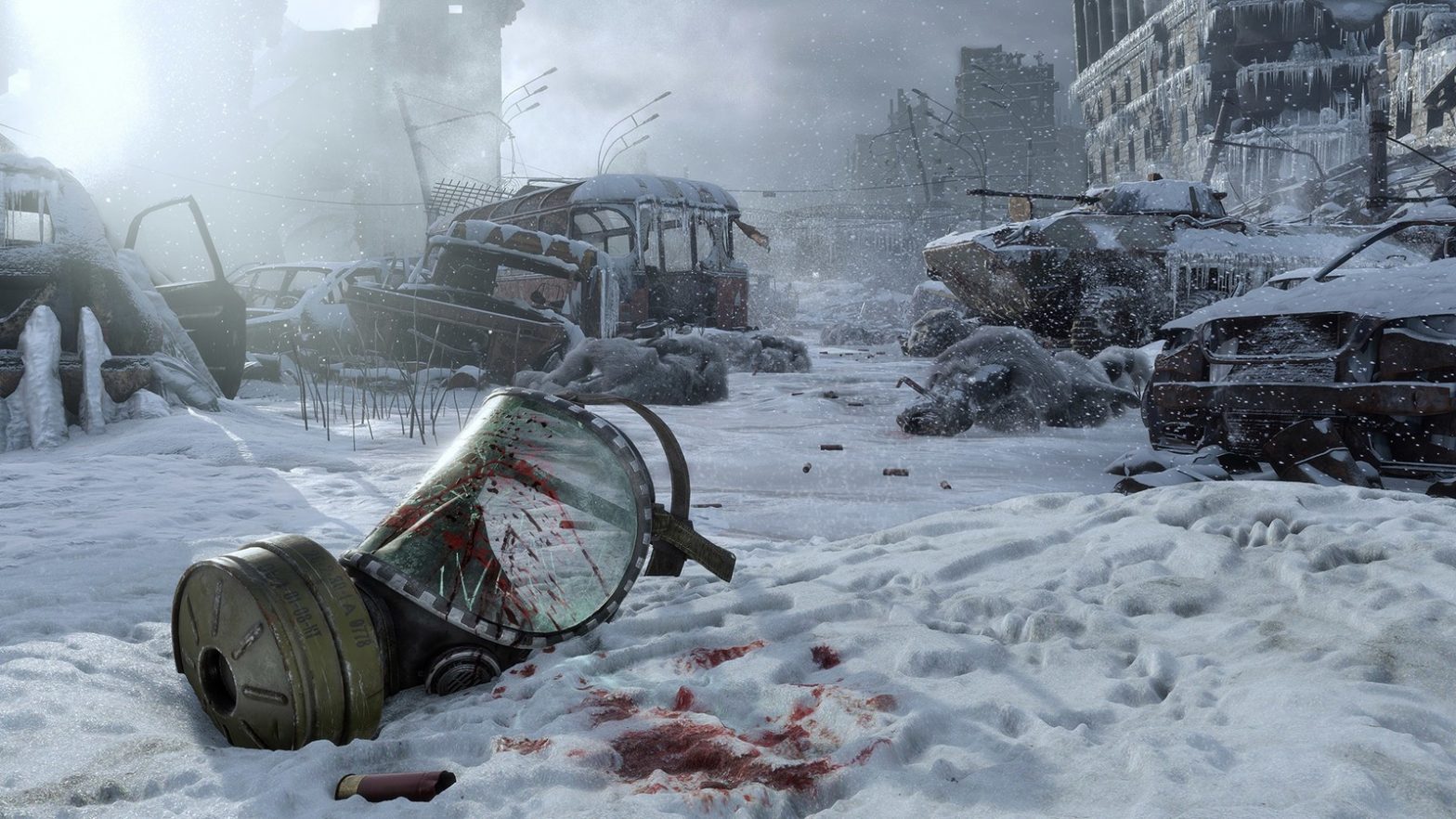
    Based on a series of novels, the Metro world is a dark and gritty survival story of a group of Russians exiled to the metro subway tunnels in a bid to escape the radiation and wasteland horrors above. The series is best know for it’s atmosphere and is easily one of the most eerie and unnerving experiences you can find a video game.

    Playing this game like a run & gun arena shooter (eg, Doom or Quake) is simply not going to work. Ammo is scarce, environments are dark and getting hit my enemies is devastating and unforgiving. While it may not be everyone’s cup of tea, this is a game that rewards stealth & patience for those with a high tolerance for the creepy and unsettling, not just shock and gore.

    What you need to know,

    • Landing February 15th on Steam and PC game retailers.
    • Exodus will be the first in the series to really focus on larger scale open outdoor environments with the player traversing the wasteland between levels in an above ground train.
    • The game is staying true to it’s roots and fan base with a purely single player story driven experience. No multiplayer, no battle-royal, no paid hats, loot boxes or weapon skins.
    • The game will be among the first to have a full and proper RTX real time ray tracing integration for gamers with RTX series video cards.
    • The seasons will change as the game progresses with the story taking place over a year and within each level there are full day/night cycles.
    • Weapon customization has been expanded and optimized.
    • Official PC system hardware requirements have not yet been published but expect to need a pretty beefy high end system if you want to crank the settings up to high and take advantage of RTX. We would recommend an modern i5 CPU, a RTX2070 GPU and 16GB of DDR4 system memory.

    Still not convinced? Check out the Trailer.

    Time for a new Metro ready gaming PC?

    Head on over to our custom gaming PC store page and checkout the full range. As mentioned above, at the time of writing this article the official hardware specifications haven’t been released but common sense says if you go with an i5 or Ryzen 7 CPU, RTX 2070 and 16GB of RAM in your system, you’ll be ready.

  • The Division 2 Hardware Requirements & PC Release Date

    The Division 2 Hardware Requirements & PC Release Date

    It’s no secret that while the Division 1 had some great concepts and potential, it failed to live up to the hype and turned out to be a pretty average game at best.

    That’s what makes Division 2 so exciting. Ubisoft has the chance to take what it learned the first time around and actually deliver on the potential.

    It might have an uphill battle in convincing players of the first installment to give it another try, but there was enough done right in first game that we feel the majority will pick up #2 for a try.

    The Official Hardware Requirements

    Straight from the Ubisoft’s website, the following are the game publishers recommendations for each performance tier. This level of detail is something we rarely see from game publishers and their official hardware specifications and it’s great to see. Hopefully this is the begging of a trend so gamers really know what soft of performance they can expect before they buy.

    Minimum – 1080p | 30 FPS

    • OS: Windows 7 | 8 | 10
    • CPU: AMD Ryzen 5 2600 | Intel Core I5-8400
    • RAM: 8 GB
    • Nvidia Geforce GTX 1060 3G or Equal
    • VRAM: 2 GB
    • DIRECT X: DirectX 11 | 12

    Recommended – 1080p | 60 FPS

    • OS: Windows 7 | 8 | 10
    • CPU: AMD Ryzen 5 2600 | Intel Core i5-8500
    • RAM: 8 GB
    • GPU: Nvidia Geforce GTX 1060 6G or Equal
    • VRAM: 4 GB
    • DIRECT X: DirectX 11 | 12

    High – 1440p | 60 FPS

    • OS: Windows 7 | 8 | 10
    • CPU: AMD Ryzen 7 2700 | Intel Core i7-8700
    • RAM: 16 GB
    • GPU: Nvidia Geforce RTX 2060
    • VRAM: 8 GB
    • DIRECT X: DirectX 11 | 12

    Elite – 4K | 60 FPS

    • OS: Windows 7 | 8 | 10
    • CPU: AMD Ryzen 7 2700X | Intel Core I7-9700K
    • RAM: 16 GB
    • GPU: Nvidia Geforce RTX 2080 TI
    • VRAM: 11 GB
    • DIRECT X: DirectX 11 | 12

    Now you know what soft of hardware you need, if you don’t think your current gaming PC is up to the task, you can head on over to our custom PC builder store page and start customizing your next dream custom PC. Order soon and get it delivered and ready to go before launch!

    The Release Date

    The Division 2 is currently slated for release on the 15th of May. It will be available for download via the Epic Games Store and of course the Ubisoft Store (uPlay).

    PC, The Definitive Version, As Expected.

    While it’s par for the course for big budget action games to get higher fidelity and better graphics settings on PC, Ubisoft are going all out this time around with a myriad to PC optimized features and functionality.

  • Customizing A Gaming PC for Battlefield V & RTX

    Customizing A Gaming PC for Battlefield V & RTX

    With Battlefield V’s Tides of War Chapter 2 update being released next week and the RTX2060 to follow soon after we’re decided it would be a great time to jump in and review what sort of gaming PC it requires to play Battlefield V with RTX on (Ray Tracing) at 1080P / 1440P and 4K.

    We’ll be doing this with a focus on the RAM, CPU and most importantly the video card (GPU) as these are key components that contribute to performance. All other components do not directly contribute to in game performance so you can pick and choose your favorites based on personal preferences, aesthetics and functionality requirements.

    New RTX Tech (DLSS)

    When Battlefield first got it’s original RTX enabling update it only enabled real time ray tracing which arguably is one of the most impressive features of the latest generation of RTX series graphics cards. However it did not initially get DLSS, aka Deep Learning Super Sampling. For those unfamiliar with the concept, this technology is essentially a ‘smarter’ way of handling AA (anti-aliasing), the togglable option in most modern PC games that essentially smooths out rough edges.

    At Nvidia’s latest press conference at the 2019 CES show in Las Vegas, they showed off performance charts that indicated enabling DLSS would not only make the game look that much better, but actually boost your in game performance when ray tracing is enabled. Now this isn’t something that’s been guaranteed to be included in the big upcoming patch but Nvidia and Dice have promised to deliver it ‘soon’.

    A Closer Look at the RTX 2060

    Nvidia’s newest GPU to hit the market in the wake of the RTX 2080, then 2080 TI and 2070. As the name suggests the price and performance of this card is expected to land a touch below the RTX 2070 offering the latest RTX enabled tech like ray tracing and DLSS at a new lower price point. These cards are set for release on January 15th however initial price and availability is still TBD. For more details on the upcoming RTX 2060 reach out to us or stay tuned to our website.

    The Specifications

    • 6GB of GDDR6 14Gbps Memory
    • 240 Tensor Cores
    • 37 RTX Ops
    • 1680MHz Boost Clock (-/+ depending on model)
    • 160w TDP

    Now you can compare these against the RTX 2070 to get an idea of the overall performance.

    • 8GB of GDDR6 14Gbps Memory
    • 288 Tensor Cores
    • 42 RTX Ops
    • 1620MHz (-/+ depending on model)
    • 175w TDP

    You can checkout the full summary of the CES press conference on the Nvidia website here for a recap, videos and presentation slides.

    Customize as you Go!

    If you want to play along at home and while you read this article also begin customizing your next dream custom gaming PC for Battlefield V on our website simply head on over to our store page (by clicking the link here). It’s quick, easy and with a click of a button you can upgrade, downgrade, remove or add a massive range of the latest PC hardware to your build, then with a click of a button save it for later or order it online!

    What you need to play at 1080P with RTX & DLSS ON

    Based on the independent third party performance testing of Battlefield V coupled with Nvidia’s CES press conference data, we would recommend the following specification. Of course this doesn’t take in to account various other in game settings that can effect performance but we would base this on the high graphics pre-sets with the possibility of some minor tweaks.

    • Intel i5 8400 or Equivalent
    • 16GB of DDR4 RAM
    • RTX2060 6G Video Card

    Recommended pairing with the other non-performance delivering components for the best balance ‘bang-for-buck’ value.

    • B360M Gaming Edition Motherboard
    • 250G/500G SATA SSD Primary Drive
    • A mid range Mid-Tower chassis with decent airflow A mid range Mid-Tower chassis with decent airflow
      • eg, Corsair Carbide Spec series, Carbide 270R, Fractal Design Focus G or Meshify C
    • 550W Gold PSU
    • Windows 10 Home Edition
    • WiFi & additional hard drives if needed.

    What you need to play at 1440P with RTX & DLSS ON

    Scaling up from our 1080P recommendation would push the video card and CPU up a notch but keep the RAM at 16GB. RAM is something that doesn’t necessarily add anything in terms of performance simply by having more of it than you need nor is more necessarily required when you increase your resolution, frame rate or graphics settings. As a result, with 16GB being the sweet spot for value for any performance in PC gaming right now, it will be the same across all our recommendations.

    • Intel i5 8600 or Equivalent
    • 16GB of DDR4 RAM
    • RTX2070 8G Video Card

    Again, here’s a recommended set of accompanying components to fill out the rest of your build for the best ‘bang-for-buck’ value and performance when pairing with the CPU, GPU and RAM listed above.

    • B360M Gaming Edition Motherboard
    • 250G/500G SATA SSD or NVMe M.2 Primary Drive
    • A mid range Mid-Tower chassis with decent air flo
      • eg, Corsair Carbide Spec series, Carbide 270R, Fractal Design Focus G or Meshify C
    • 550W Gold PSU
    • Windows 10 Home Edition
    • WiFi & additional hard drives if needed.

    What you need to play at 4K with RTX & DLSS ON

    4K is a very very high resolution for gaming. To play at 4K you are essentially asking your video card to render 4x as much in terms of pixels on the screen when compared to a regular 1080P display. Does this mean you need 4x the amount of GPU horsepower to achieve it? Not quiet, but don’t expect to get there on a budget. This is why the RTX2080 TI exists with it’s enormous amount of GPU compute power, and the price tag to match. This is an extreme GPU for an extreme level of fidelity in game. You will also need a 4K monitor which don’t come cheap, and even, you may need to scale back some of the other in game settings slightly to keep the dips above 60+ FPS.

    • Intel i7 9700 or Equivalent
    • 16GB of DDR4 RAM
    • RTX2080TI 11G Video Card

    Last but not least, here is the hardware we would recommend pairing with this CPU, GPU and RAM. Of course this is just a guide and you can by all means make any adjustments or choose any other hardware you wish. Our custom PC builder has built in error detection so you don’t need to worry about compatibility issues. If you wanted to get our option and some recommendations on your configuration after you’ve saved in on our website just shoot us an email with the PCID number!

    • Z390 Gaming Edition Motherboard
    • 120mm Tower Air CPU or Liquid Cooler
    • 250G/500G NVMe M.2 Primary Drive
    • A mid to high end Mid-Tower chassis with good air flow
      • eg, NZXT H500 or H700, Corsair Spec Omega or Carbide Air 540 and the Fractal Design Focus G or Meshify C
        • Avoid low airflow chassis like the MSI MAG or InWin 805C and 303
    • 750W Gold PSU
    • Windows 10 Home Edition
    • WiFi & additional hard drives if needed.

    Limited Time Bonus : Get Battlefield V Free

    Nvidia is also offering both Battlefield V or Anthem free with any purchase of an RTX series card from selector vendors. This offer is also included when purchasing an RTX powered custom gaming PC from our store at www.evatech.com.au. This offer is valid for a limited time only, see our site for details.

  • Fallout 76 : Building A Custom Gaming PC For The Wasteland!

    Fallout 76 : Building A Custom Gaming PC For The Wasteland!

    The release of the long anticipated latest Fallout game is finally upon us and to celebrate we’re diving in to exactly what PC hardware you’ll need in your next custom gaming PC to dive in.

    If you’ve found this article you probably already know what Fallout 76 so lets get straight down to business.

    The Hardware Requirements

    Gaming PCs are fueled by three main components. The CPU, the RAM and the GPU (aka video card). In general, if the CPU and RAM isn’t a bottleneck, its the GPU which is the most important for delivering a smooth frame rate with all the fancy graphics setting cranked up.

    The games publisher Bethesda have published their official minimum and recommended hardware specifications online. While these are usually geared very low to capture the widest possible audience, it’s a good indication of the CPU/GPU balance and RAM requirement.

    Processor: Intel Core i7-4790 3.6 GHz/AMD Ryzen 5 1500X 3.5 GHz
    Graphics: Nvidia GTX 970 4GB/AMD R9 290X 4GB
    Memory: 8GB RAM

    Recommended hardware requirements – Bethesda 

    You will probably notice pretty quickly that the listed hardware is older generation models. This might be a little confusing but with a bit of common sense it’s pretty easy to translate in to the current-gen equivalents.


    Processor: Intel Core i5 8600 4.3GHz
    Graphics: Nvidia GTX 1060 6GB
    Memory: 8GB RAM (DDR4)

    The same hardware requirements translated to modern equivalents.

    Making sense of the Requirements

    While some games rely heavier on the GPU than the CPU, others are weighed in the opposite direction. Fallout 76 being a large scale open world RPG, is evidently more CPU depended than most games.

    Bare in mind also that the ‘recommended’ hardware requirements are just a guide issued by the publisher stating that if you meet these requirements you should get a ‘good’ experience playing the game. It doesn’t guarantee a frame rate over 60 at any particular graphics settings although a reasonable gamer may assume it’s at least 60fps @ medium pre-sets.

    If you want higher frame rates, to turn up all the graphics to ultra or to run at 4K, you’ll have to make the necessary adjustments (mostly to GPU) to keep up.

    “Recommended” Requirements

    If you want to take Bethesda’s word for it and don’t mind not playing at the highest settings we’ve put together the following configuration for you to take a look at.

    Note : All our gaming PCs are 100% customisable so feel free to jump in and select a different chassis , add additional hard drive capacity or a WiFi adapter if needed! Our built in error detection will catch any potential conflicts. As long as the CPU, RAM and GPU stay the same, you can expect the same level of performance.

    • Case: Corsair Carbide Spec-04 Tempered Glass Red Mid Tower
    • Motherboard: Intel B360 Gaming Edition mATX Motherboard
    • CPU: Intel i5 8600 6-Core 4.3GHz
    • CPU Cooler: Stock CPU Cooler
    • RAM: 8GB DDR4 Core
    • Primary Storage Device: 250G SATA3 SSD – 420MB/s
    • Second Storage Device: 1TB Hard Drive – 150MB/s
    • Graphics Card: Nvidia GTX 1060 6GB OC
    • Power Supply: 550w 80 Plus Gold [$10 OFF]
    • Operating System: Windows 10 64bit Home Edition USB

    Click here to checkout this configuration on our store page where you can further customize it or order it online!

    “Ultra @1080P” Requirements

    As previously mentioned, all our gaming PCs are customisable and we have a ton of options to choose from. Perhaps you prefer a different case? Want to add a WiFi adapter? Maybe need some extra storage space? Just hit that ‘customise’ button on the page linked below.

    Case: Corsair Carbide Spec-04 Tempered Glass Red Mid Tower
    Motherboard: Intel B360 Gaming Edition mATX Motherboard
    CPU: Intel i5 8600K 6-Core 4.3GHz
    CPU Cooler: 120mm Tower Air Cooler
    RAM:16GB DDR4 Black
    Primary Storage Device: 500G NVMe M.2 SSD – 1500MB/s
    Second Storage Device: 2TB Hard Drive – 150MB/s
    Graphics Card: Nvidia RTX 2070 8GB OC
    Power Supply: 550w 80 Plus Gold [$10 OFF]
    Operating System: Windows 10 64bit Home Edition USB

    Click here to checkout this configuration on our store page where you can further customize it or order it online!

    “ULTRA @4K/UHD” Requirements

    Note for this one we’ve deviated from the more ‘cost-effective’ basic chassis listed for the configurations used above, this time opting to go for the limited edition Nuka Cola NZXT H700. Lets face it, if your building a gaming PC just to play Fallout 76 on ultra settings at 4K, why wouldn’t you splurge a little and get the awesome looking limited edition chassis to match? 

    Case: NZXT H700 Nuka Cola Limited Edition
    Motherboard: Intel B360 Gaming Edition mATX Motherboard
    CPU: Intel i7 8700 6-Core 4.6GHz
    CPU Cooler: 120mm Tower Air Cooler
    RAM: 16GB DDR4 Black
    Primary Storage Device: 500G NVMe M.2 SSD – 1500MB/s
    Second Storage Device: 2TB Hard Drive – 150MB/s
    Graphics Card: Nvidia RTX 2080 8GB OC
    Power Supply: 750w 80 Plus Gold
    Operating System: Windows 10 64bit Home Edition USB

    Click here to checkout this configuration on our storage page where you can further customize it or order it online!

    The take away,

    Hopefully now you’ve got a good idea of what modern day latest gen hardware you need to play the game at the performance level your aiming for. Remember it all comes down to GPU, CPU and RAM (in that order!).

    If you still have questions or just need some help deciding on which of the other components you need please don’t hesitate to get in touch. You can find our contact page here or if you’re local, drop in to our store (Keysborough, VIC) Monday to Friday, 10am to 6pm for a chat!