Evatech Australia
  • Gaming PCs
    Custom PCs Intel 15th Gen Ultra AMD Ryzen Zen 5 Pre-Configured PCs Pre-Built PCs Game Database
  • Workstation/Server
    Custom Workstations Intel 15th Gen Ultra AMD Ryzen Zen 5 AMD Threadripper Request a Quote Pre-Configured
  • Home/Office
    Custom PCs Intel 15th Gen Ultra AMD Ryzen Zen 5 Pre-Configured Pre-Built PCs
  • Peripherals
    Cables Controllers Headsets & Microphones Keyboards Mice Monitors Speakers New Products All
  • Components
    Cases CPUs Cooling Graphics Cards Motherboards PSUs RAM Software Storage New Products All
  • More
    Contact Us News / Blog About Evatech FAQs Help Docs Visit The Store Warranty Zip 6 Months Interest Free^ Lay-by Terms of Service
Gaming PCs
Custom PCs Pre-Built & Ready-to-Go Game Database
Home & Office
Custom PCs Pre-Built & Ready-to-Go
Workstation & Server
Custom Workstations Request a Quote
Peripherals
Keyboards Mice Monitors Headsets All
Components
CPUs GPUs All
More
Contact Us About Evatech FAQs Help Docs Visit the Store Terms of Service
Login or Register
Cart My Account Search
Evatech › Help Docs › Maintenance

Categories

AudioCPUGeneralGraphics CardMaintenanceMonitorRAM (Memory)SustainabilityUse Cases

About Evatech

Since 2013, Evatech Computers, a fully Australian-owned and operated company, has provided custom-built gaming, workstation, and home + office PCs, meticulously tailored to individual client needs and budgets.

Shop

Custom Gaming PCs
Custom Workstations
Pre-built PCs
Monitors
Mice
Keyboards
Headsets & Microphones

Maintenance

Repackaging a PC for shipping

Published 27th Jan 2022, updated 19th May 2023 · 2 minute read
Table of Contents
Cover the case in the plastic bagAttach the top and bottom Styrofoam inserts to the casePlace system and Styrofoam into the boxNo longer have the original packaging materials?

If you ever need to send your workstation, gaming PC, or home PC back to our facility for diagnostics, repairs, or upgrades, it's vitally important to package the PC correctly to avoid transit damage. Please keep in mind that Evatech is not responsible for damage caused by improper packing and cannot control what happens while the PC is in transit. If you are local to our store, bringing the PC to us in person is the least worrisome way to get it here!

We've broken down the steps for repackaging your workstation safely below. Please note: the below pictures represent a Corsair 4000D case being re-packed. It's worth pointing out that different manufacturers/models may be packed in different variations. Please contact us for assistance if you are unsure.

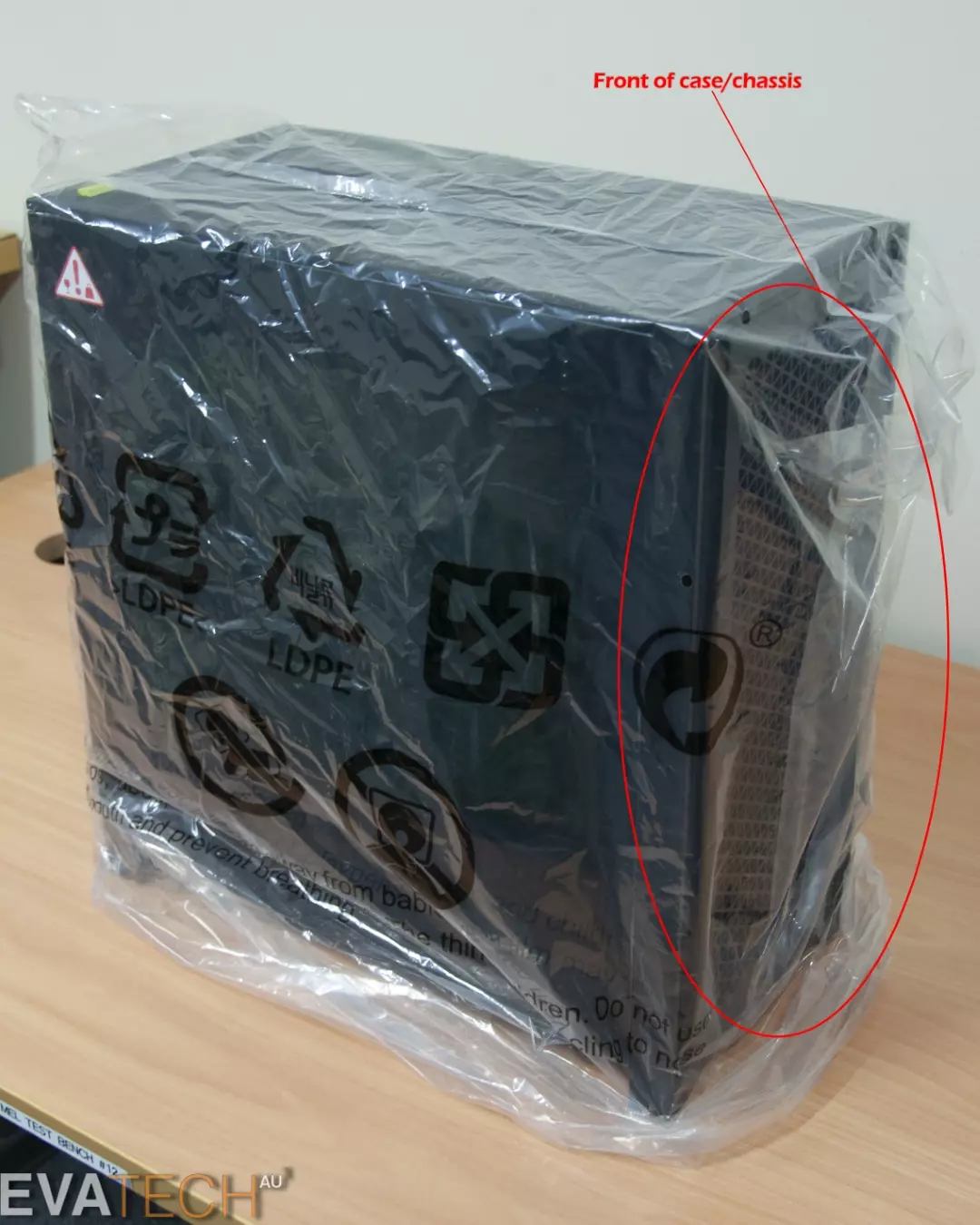
Cover the case in the plastic bag

To protect the paint from being rubbed off or scratched by the styrofoam, cover the case with a plastic bag. It also makes it easier for the styrofoam to slide onto the case, so it's really beneficial to the process.
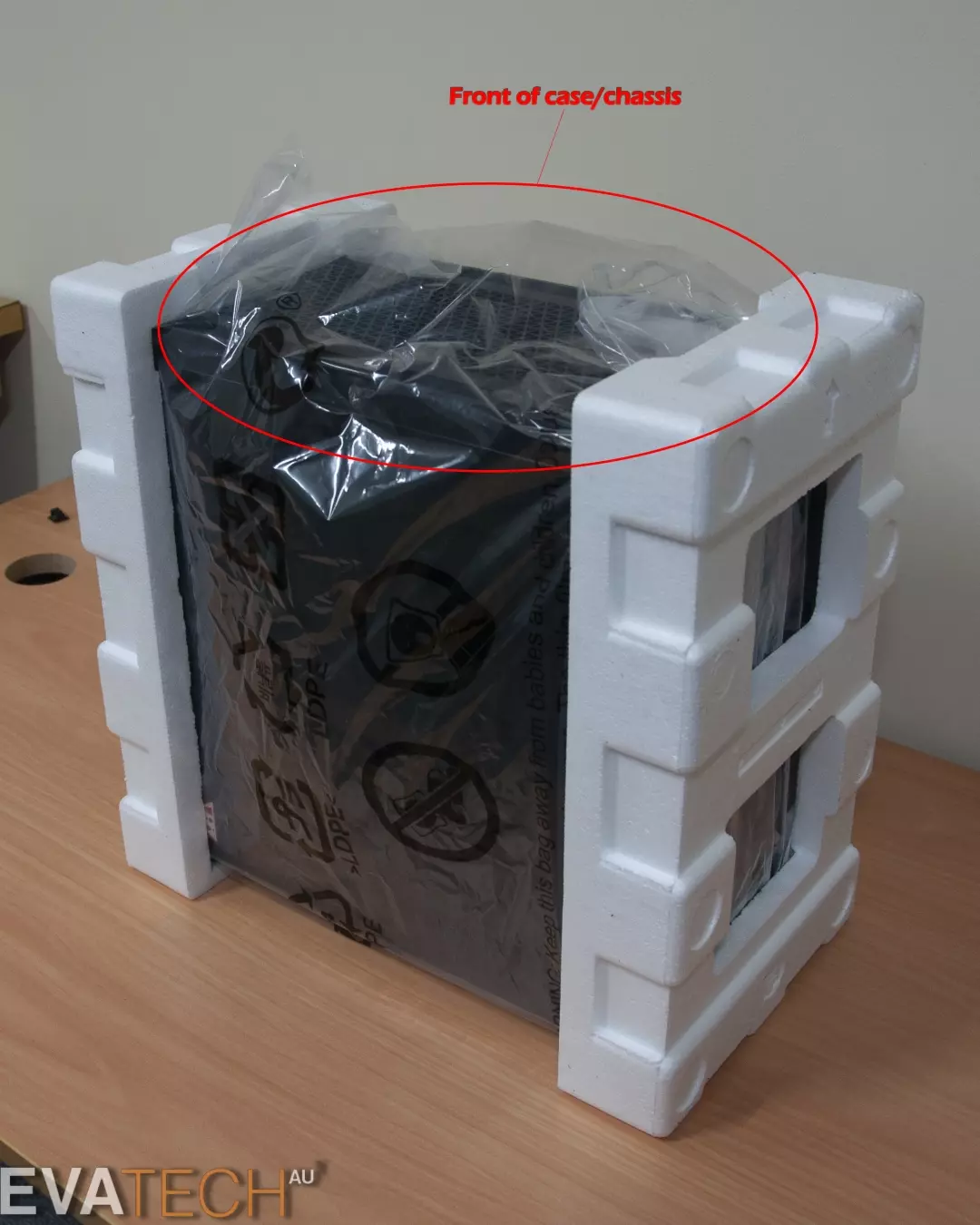
Attach the top and bottom Styrofoam inserts to the case

The top and bottom foam protects the case from shock and movement in the inner box.
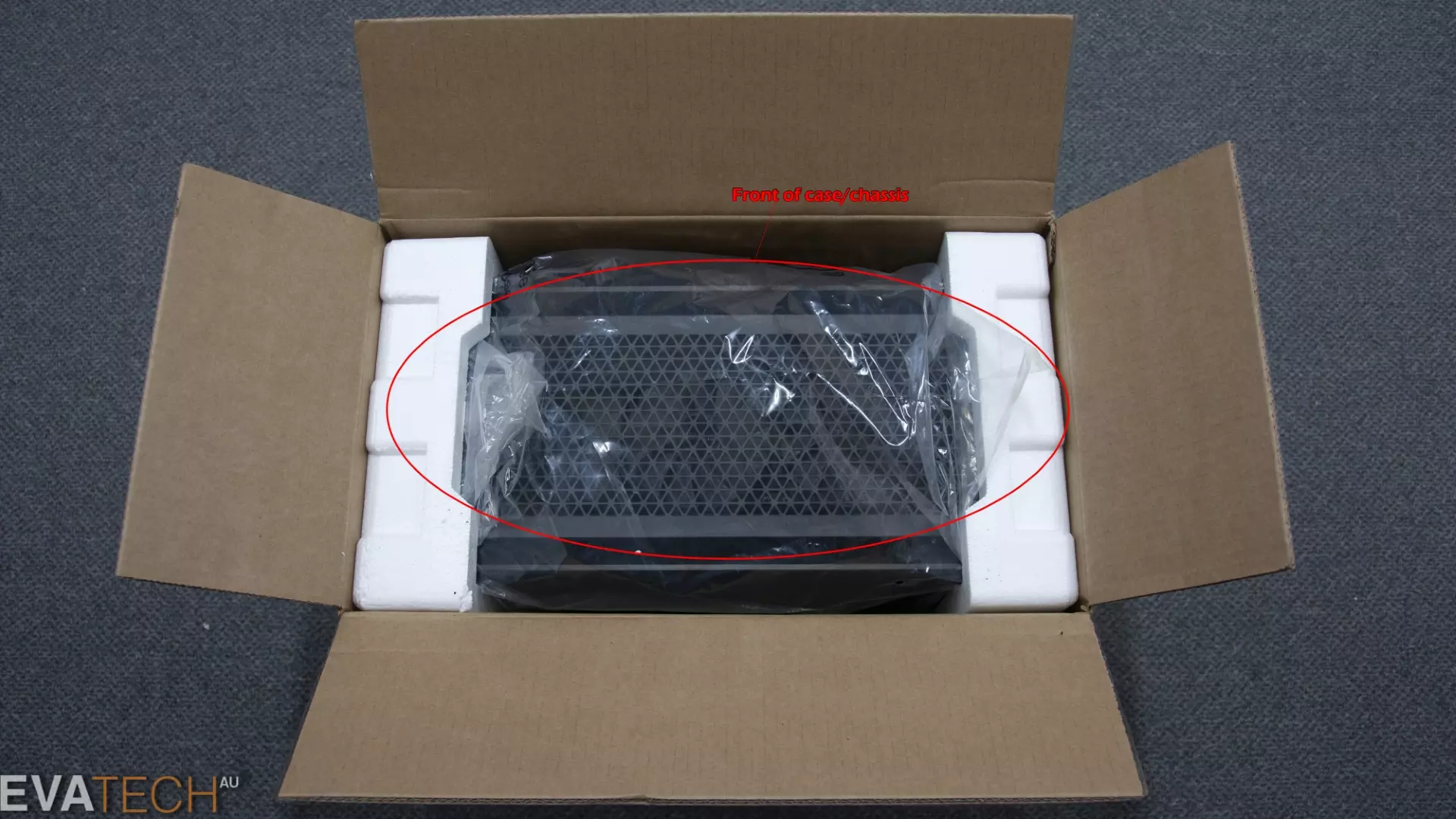
Place system and Styrofoam into the box

This is how the cases make their way to us from the supplier and from overseas, so at this point things are getting pretty safe.
No longer have the original packaging materials?

If the original packaging materials that came with the system weren't kept or are damaged, we would recommend you take the workstation to your local shipping centre (such as Pack & Send) and have them pack the system with foam spacing between the system and box as an alternative. We highly recommend having your items professionally secured before transit if you no longer have the original packaging or it could well result in the case being physically damaged.

Need help with your Evatech PC?

Something still not right with your Evatech PC? We’re standing by and our support team can assist you!

Contact Evatech Support
There’s more help docs!

If this page didn’t solve your problem, there’s many more to view, and they’re all very informative.

Browse Help Docs
Terms of Servicehours
Visit the Storephone
Contact Uscopyright
Help Docshelp
Newslocation
visa mastercard
commonwealth westpac
zipmoney
klarna
lab-by
location6 Mediterranean Circuit, 3173 VIC
hoursMonday - Friday 10am-6pm
phone+61 (03) 9020 7017
abnABN 83162049596
copyrightEvatech Pty Ltd
Proudly serving Melbourne | Sydney | Adelaide | Brisbane | Canberra | Hobart
Latest headlines: MSI's RTX 5090 Lightning Z! (Sold out) | Munich Workstation PC | Phanteks Enthoo Pro 2 Server | Wraith Gaming PC | Corsair Air 5400 LX-R Link | Wraith Gaming PC | Hyte Y70 Touch Red | More Short Form Articles
Trademarks and brands are the property of their respective owners. All prices are in AUD and include GST.
SITE MAP